Until this week our chat widget had no idea what language it was in. A site could pass a locale, and the widget handed it on to the API, but the buttons and the "How can we help?" on Home stayed English unless the site translated each one itself, and some text, like the error messages, could not be translated at all.
It was worse one level down. The API compared language tags as plain strings, so a Brazilian site that passed pt-BR to a project whose help center was written in pt found no match and got the default language back.
The widget only looked multilingual if the site did half the work and spelled the tag exactly right. We rebuilt how it picks a language and what it does with it. It shipped today, and these are the rules we settled on.
1. The page decides first, the browser second
Most widgets read navigator.language, the language of the visitor's browser. It is the obvious signal and usually the wrong one, because it describes the visitor's computer, not the page they are reading. A German developer on an English docs site would get a German widget sitting on an English page, offering articles it would then fetch in English anyway.
The page already says what language it is in: <html lang>. Most frameworks and CMSs set it, and it is the site owner's decision rather than a guess. So the widget reads that first. The browser only gets a say when the page declares nothing, and only for a language the widget actually ships. With neither, it uses the project's default language.
A site can still overrule all of it with data-locale, or locale in React. And when its language switch changes <html lang> without a reload, the widget notices and follows.
2. A language tag is a family, not a string
pt-BR, pt, PT-br and pt_BR all mean Portuguese, and a widget that runs on other people's sites has to accept every one of them. The underscore form comes from servers that write locales the POSIX way. Some tags carry more than a region, like ca-ES-valencia.
We handle that in two places. The widget cleans the tag up before it sends anything: it canonicalizes it, keeps the language and the region, and drops anything that is not a language tag at all, because a request the API refuses would leave the visitor with a broken widget. The server then matches the tag against the project's languages: an exact match first, then the base language, then a few legacy codes such as nb and nn for Norwegian and iw for Hebrew.
A tag that matches nothing stays what it is. It does not quietly turn into some other language. It falls back the same way a missing translation does.
3. Your words fall back to your language, ours fall back to English
A widget shows two kinds of text, and they need different fallbacks.
Your content (help articles, collections, news on Home) falls back to your project's default language. An English article on a French page is not ideal, but it beats an empty Help tab, and it is what our API already did for a missing translation.
The widget's own text falls back to English. We ship five languages, and for a sixth the buttons are English until you give the widget your own words with labels.
So a German page on a project with German articles shows German articles with English buttons. We went back and forth on this and kept it. A mixed screen is honest about what exists. Hiding an article because we have no German word for "Back" would be worse.
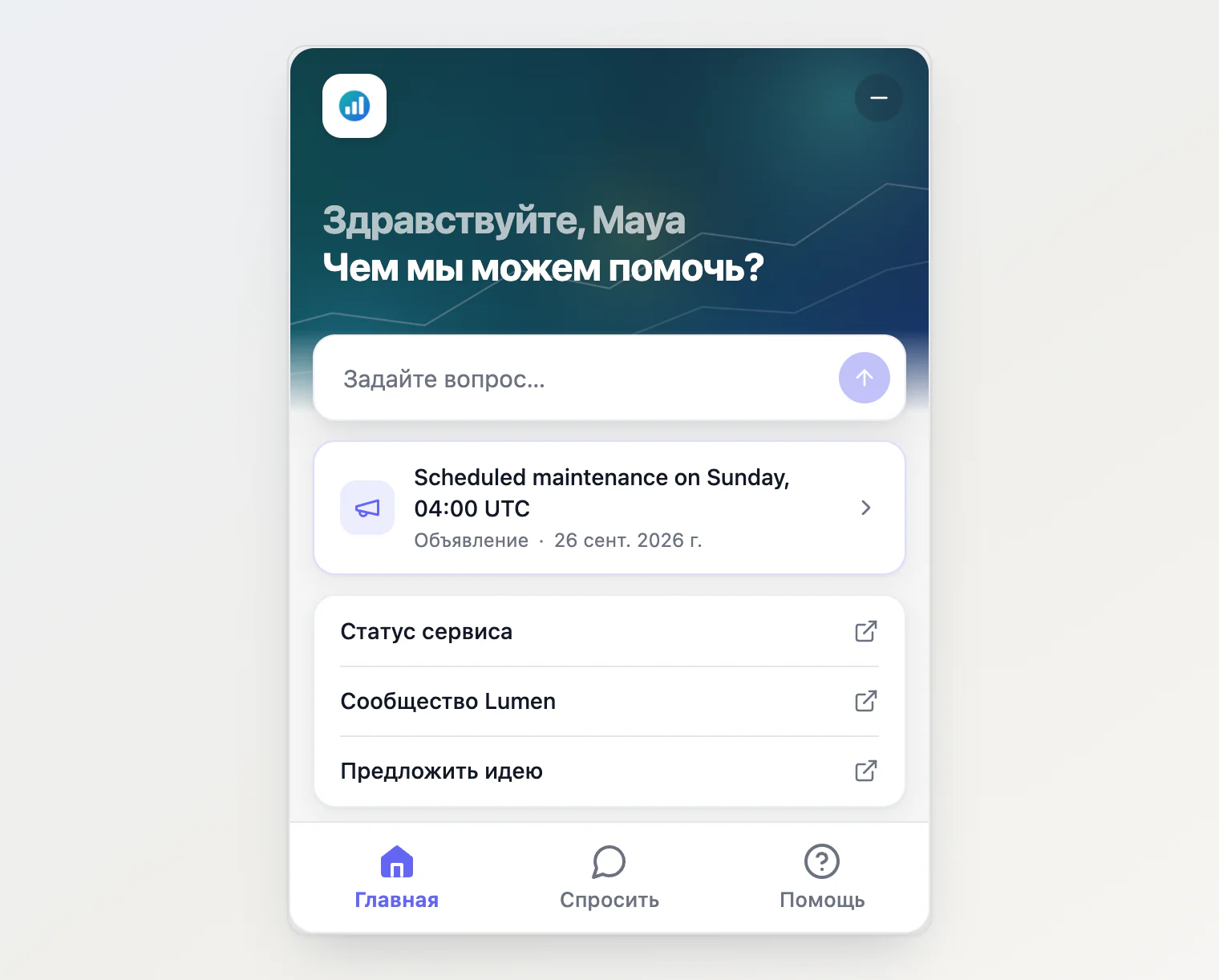
The Home at the top shows both rules at once. The widget's text and the greeting the page passed in its code are Russian, and the announcement, written only in English, shows in English.
Working on this turned up two older bugs in the same place. A list could show the same article twice, once in each language, and a language without translated categories made Help lose its collections entirely. Both are gone: a list now holds one version of each article, and categories fall back like everything else.
4. Answer in the language the visitor writes in
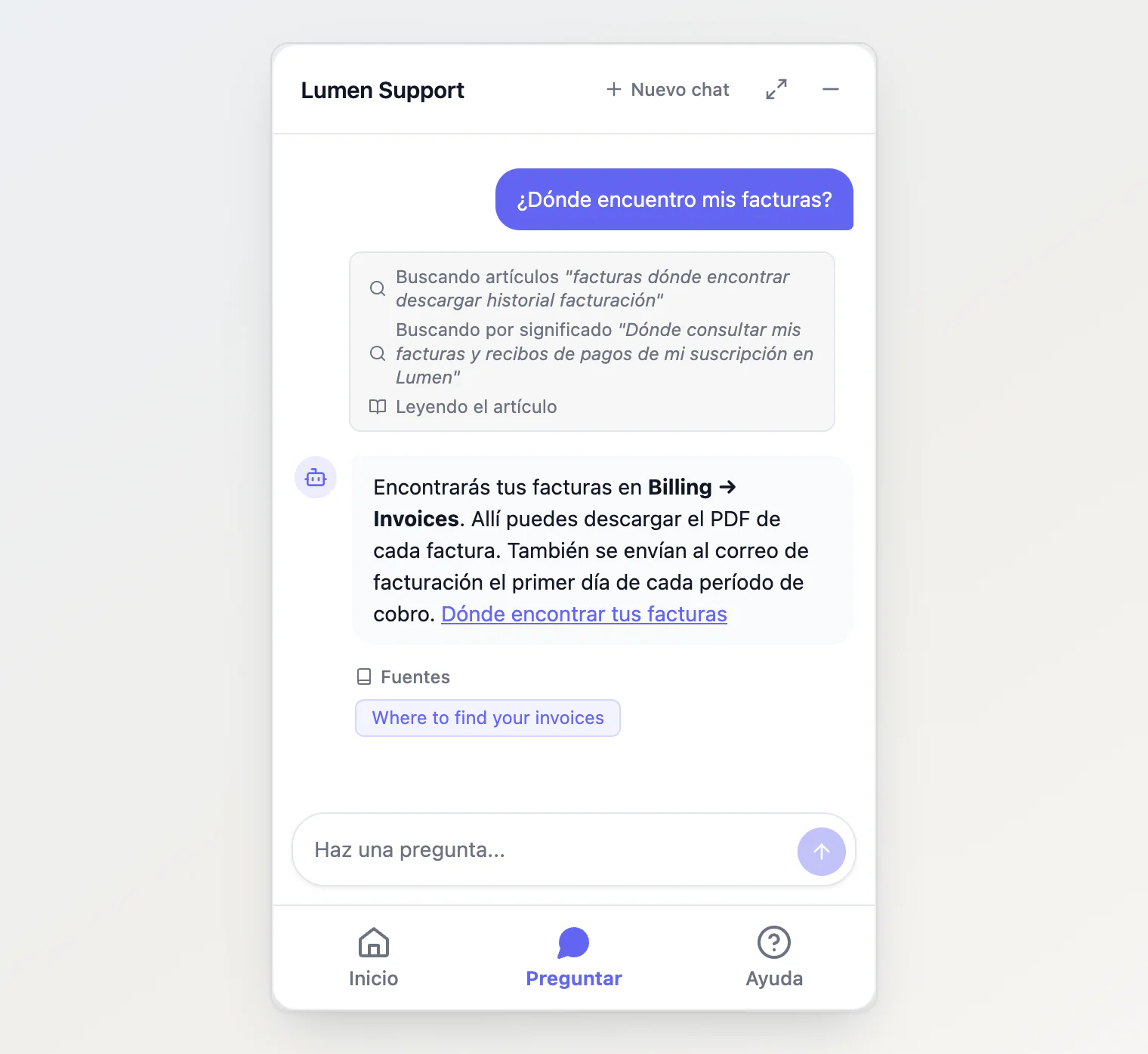
Everything above is a guess about the visitor. Their message is not. If someone types in Spanish on a page that says it is English, they want the answer in Spanish.
So the assistant now replies in the language of the visitor's latest message, and only falls back to the widget's language when the message does not settle it, as with "hi" or a product name. It still searches your articles in whichever language they exist, and cites them as they are.
5. Changing the language should not cost the conversation
On a single-page app the visitor can switch languages without a reload. When that happens, Home and Help reload in the new language and the conversation stays where it was.
An article that is open at that moment closes back to its tab. It was fetched in the old language, and its address can differ from one language to the next, so reloading it in place is not reliable. Going back one step is a small price, and the conversation is untouched.
Sites whose language switch does not touch <html lang> can call KookeeChat.setLocale('fr') instead.
6. Ship the words with the widget
We could have served the translations from our API, one language per request. The script would have stayed smaller, but every page view would start with a flash of English while the words loaded, and an older copy of the widget would break the day we renamed a key.
So the five languages are in the file. That cost about 7 KB gzipped: the script went from 149.0 to 156.2 KB. Adding a sixth language is one file and a release, and labels covers anything in between.
What we left out
A language picker inside the widget. Your site already has a language switch, and a second one in the corner of the page will sooner or later disagree with it. The widget follows yours.
Translated texts in the dashboard. The title, greeting, suggestions and links on the Customize tab are saved in one language. A site in several languages can leave them empty, so our translated defaults apply, or set them per page in code, where they win over the saved values:
<script async src="https://kookee.dev/chat/latest.js"
  data-api-key="YOUR_API_KEY"
  data-locale="es"
  data-greeting="¿En qué podemos ayudarte?"></script>
More than five languages. Every new string in the widget needs a translation in every language we ship, and we would rather have five we can check than thirty we cannot.
Getting it
The script tag picks it up with no change to your site. In React, update to @kookee/react 1.12.0 and @kookee/sdk 1.12.0. If your page sets <html lang>, the widget already follows it.
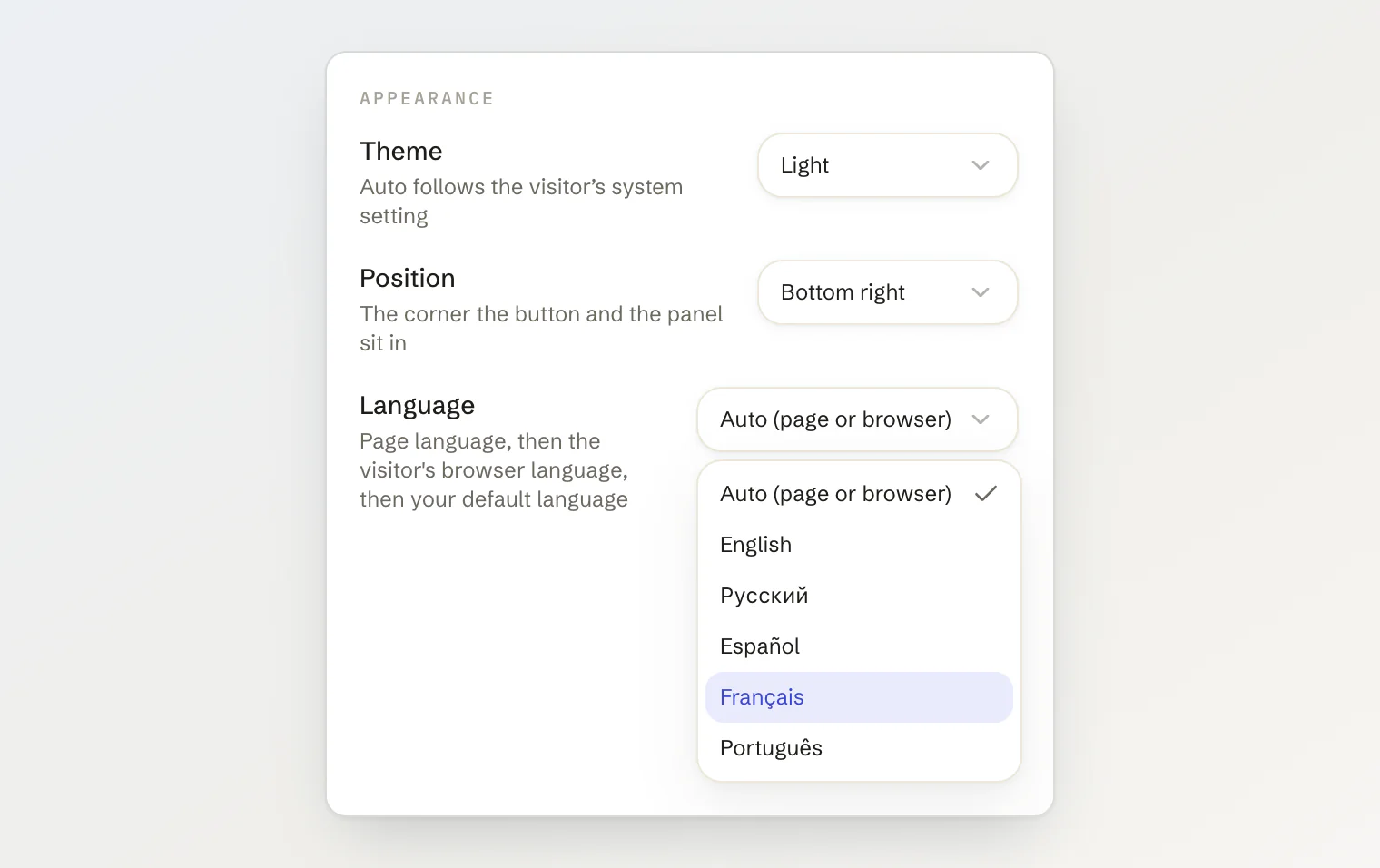
One change in behavior: a site that sets no language now gets the one its page declares. To keep the widget in English whatever the page says, set data-locale="en". The Installation tab of the Site widget page has a Language select that writes it for you.
Show the widget in your visitors' language covers every option, and Control the chat widget from JavaScript has setLocale(). The hosted portal got its own languages later, in A Multilingual Help Center Without Empty Pages.