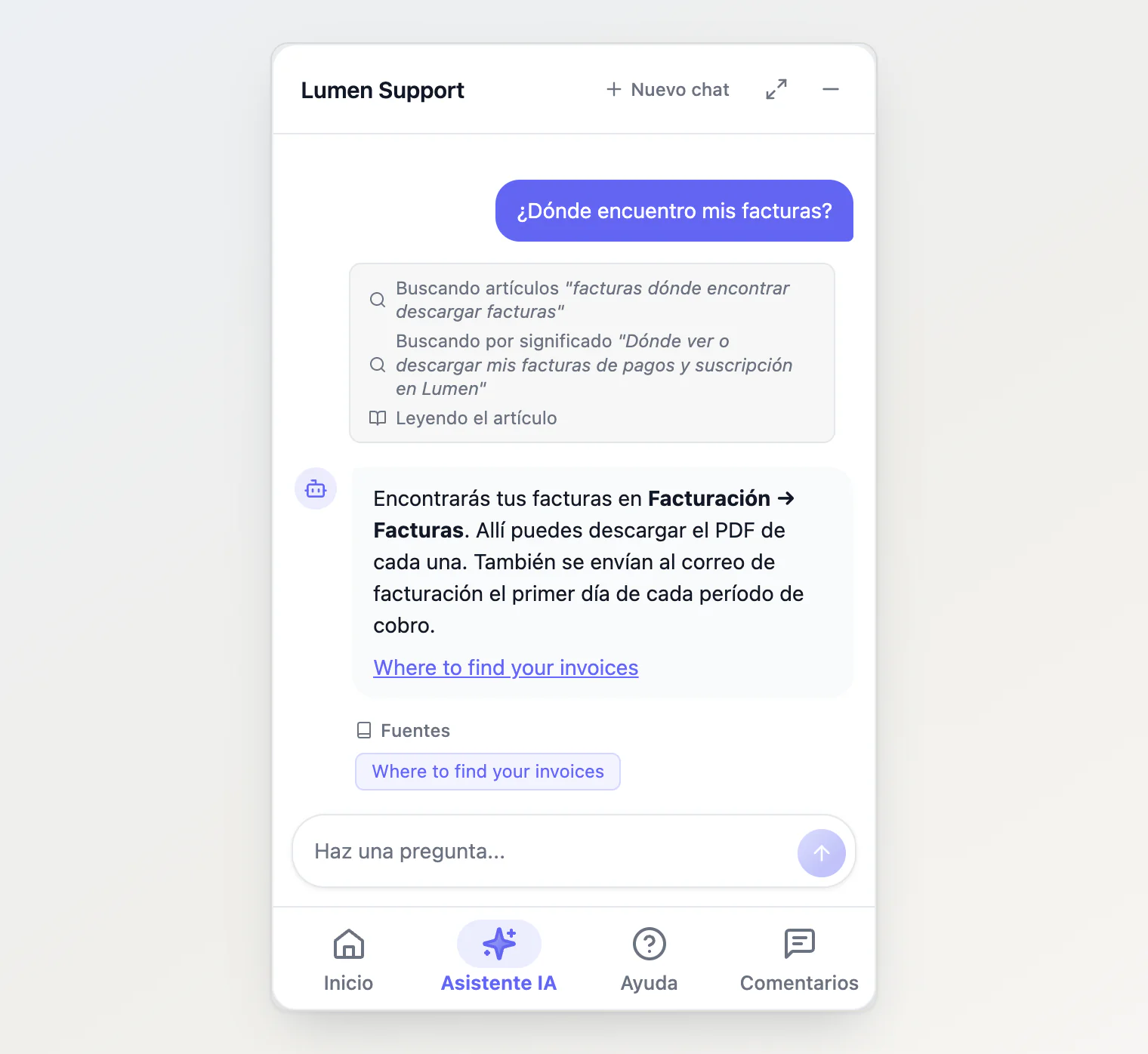
The site widget follows the language of the page it sits on. Its own buttons and messages, your help articles and news, and the assistant's answers all switch with it. On a site that declares its language, there is nothing to set up.
How it picks the language
With nothing configured, the widget checks, in order:
<html lang>on the page. Most sites already set it, and it says which language the page is written in.The visitor's browser languages, but only when the page declares none, and only a language the widget ships (see below).
Your project's default language, set under Default Locale in Settings → Project.
An English page stays English for a visitor whose browser is set to German. That is on purpose: the widget should match the page around it.
When <html lang> changes while the page is open, as it does when a single-page app switches language, the widget follows. Home and Help reload in the new language, an open article closes back to its tab, and the conversation stays where it was.
What changes with the language
The widget's own text: tab names, buttons, the question box, error messages, the lines that show what the assistant is doing, dates and counts. It ships in English, Russian, Spanish, French, Portuguese and German. Any other language shows English.
Your content: help articles, collections and the news on Home load in that language. Where an article has no translation, the version in your default language takes its place, so nothing goes missing.
The assistant's answers: it replies in the language the visitor writes in. When that is unclear, as with a one-word greeting, it uses the widget's language.
A regional tag reads the language you have: pt-BR gets your pt articles, and en-US your en ones.
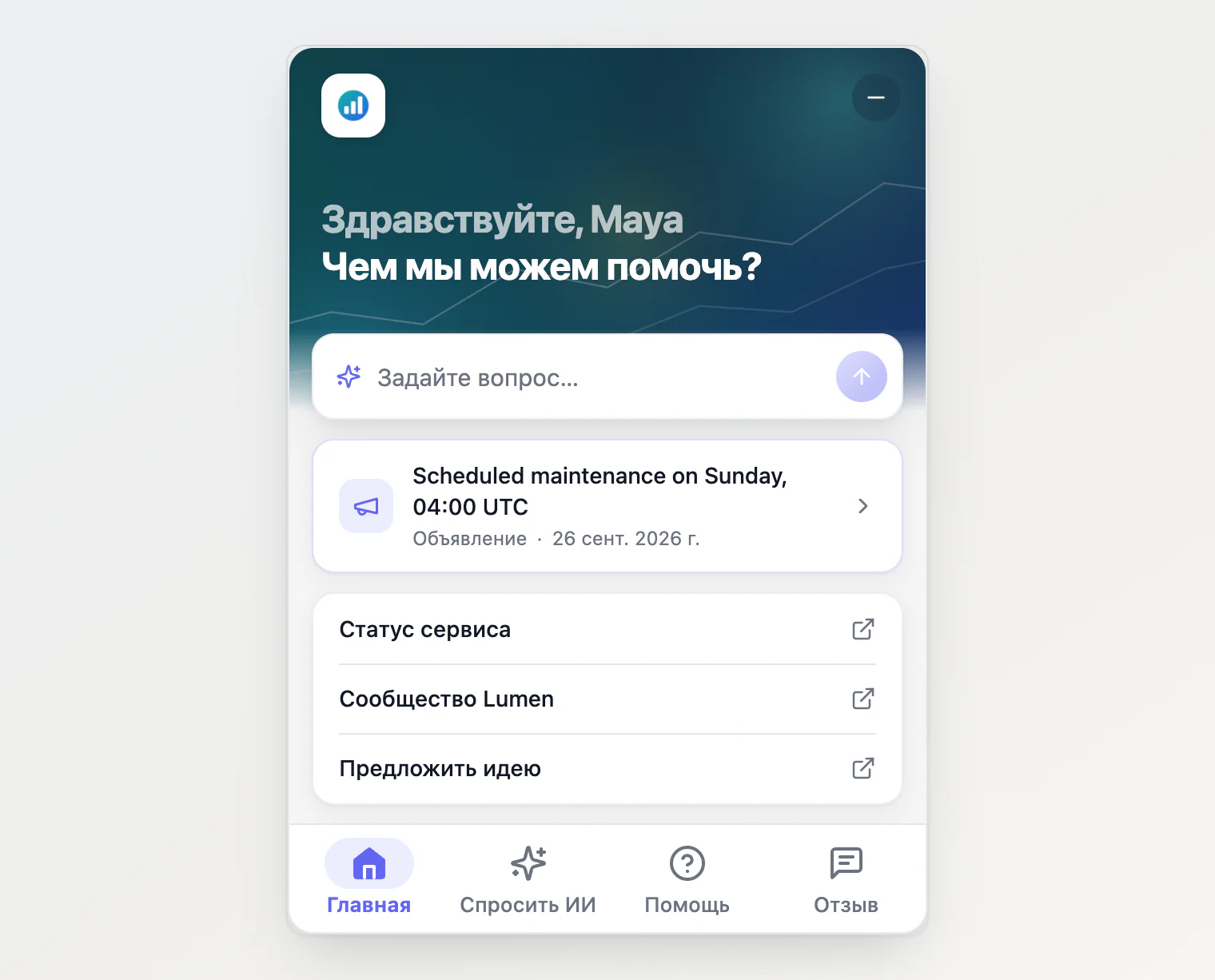
Above, the page is in Russian. The widget's own text is Russian, and so are the greeting and links the page passed in its code. The announcement has no Russian translation, so it shows in English.
On your Kookee portal
On the hosted portal, the widget takes the language of the page's content, not <html lang>. On a portal page under /de/ it loads your German help articles and news and shows its own text in German; at an address without a language code it uses your default language. For a language the widget doesn't ship, such as Italian, it loads your Italian articles where they exist, and its own text stays English.
On your own site, the rest of this article applies.
Set the language yourself
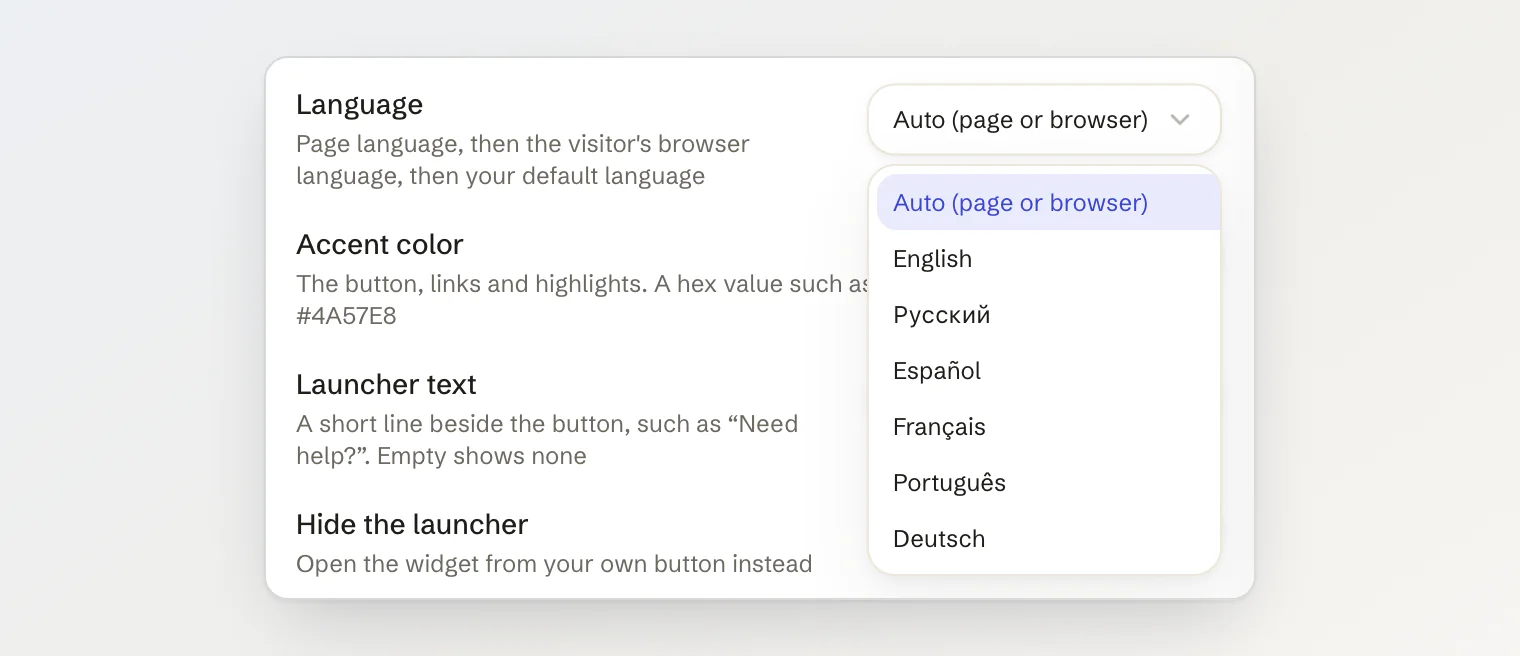
On the Installation tab of the Site widget page, the Language select writes a fixed language into the snippet. Leave it on Auto (page or browser) unless your page declares no language and you know which one it is in.
On the script tag, that is data-locale:
<script async src="https://kookee.dev/chat/latest.js" data-api-key="YOUR_API_KEY" data-locale="fr"></script>auto, an empty value or no attribute at all mean automatic. Any language tag works, including one the widget has no translation for: data-locale="it" asks for your Italian articles and shows the buttons in English.
In React, pass locale:
<KookeeChatWidget clientOptions={{ apiKey }} locale={i18n.language} />Switch it while the page is open
If your own language switch does not change <html lang>, tell the widget:
KookeeChat.setLocale('es'); // a language
KookeeChat.setLocale(); // back to following the page
setLocale() works before init(), and wins over the language the widget was started with. If you use the stub that queues calls until the script loads, add 'setLocale' to its list of methods, as described in Control the chat widget from JavaScript. In React, change the locale prop.
A site in several languages
The texts you write on Site widget → Customize (the title, greeting, placeholder, suggestions and links) are saved in one language and shown on every page. On a site in several languages, either leave them empty, so the widget's own texts in each language apply, or set them per page in your code, where a value wins over the saved one:
<script async src="https://kookee.dev/chat/latest.js"
  data-api-key="YOUR_API_KEY"
  data-locale="es"
  data-greeting="¿En qué podemos ayudarte?"></script>
The title and placeholder work the same way, with data-title and data-placeholder. Suggestions and links have no data attribute: pass them to init(), or as props in React.
Your own words for the widget's text
labels replaces any of the widget's own texts, in whatever language it picked. Use it for a word you would phrase differently, or to bring a language the widget does not ship:
KookeeChat.init({
  apiKey: 'YOUR_API_KEY',
  locale: 'it',
  labels: { tabHome: 'Home', tabAsk: 'Chiedi all’IA', tabHelp: 'Aiuto', tabFeedback: 'Feedback', homeGreeting: 'Come possiamo aiutarti?' },
});
Texts you leave out stay English. The full list of keys is the KookeeChatLabels type, in https://kookee.dev/chat/latest.d.ts and in @kookee/react/chat.
One exception: the chat's title, placeholder and greeting in labels are defaults, and a text saved on the Customize tab wins over them. To override a saved text, use title, placeholder and greeting instead.
Requirements
Languages need @kookee/react 1.12.0 or later, and German needs 1.15.0. The script tag at https://kookee.dev/chat/latest.js already has them, with no change to your site.
A site that sets no language now gets the one its page declares. To keep the widget in English whatever the page says, set data-locale="en", or locale="en" in React.
Continue reading
Using the public portal: the portal's address for each language, its picker and the widget switch.
Control the chat widget from JavaScript:
setLocale()and the rest of thewindow.KookeeChatAPI.Multi-language content and locale fallback: how translations and fallback work in the API.