A "?" next to a setting, or a "How does this work?" link under a form, usually sends the visitor away to a help page and out of what they were doing. The widget can show the article instead, on top of the page, with a back button.
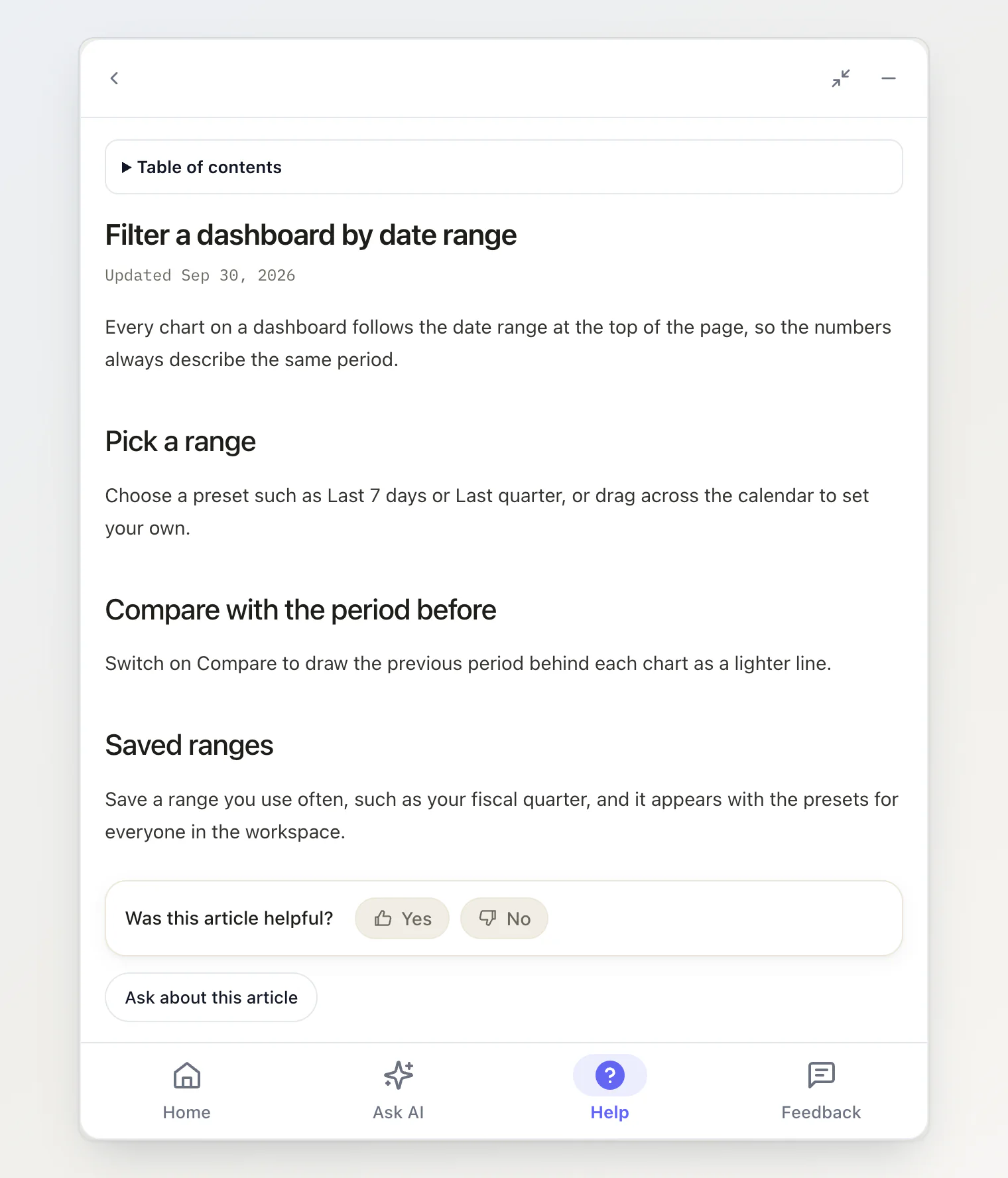
One attribute
Give any element the slug of a help article:
<a href="/help/billing/invoices" data-kookee-article="invoices">How invoices work</a>
<button type="button" data-kookee-article="custom-domains">?</button>
A click opens that article in the widget. Nothing else is needed: no script of your own, and no change to how the widget is installed.
The slug is the last part of the article's address, and the Slug field of the article in the dashboard.
What the visitor gets
The article, with its own title and the date it was last updated.
A table of contents when the article has two or more headings. Its links scroll the article, not your page.
Was this article helpful? at the end, counted with the votes from your help center pages.
Ask about this article, which opens the chat with the article's title already in the question box. It is left out when the widget has no Ask AI tab.
A back button to wherever they were in the widget. The panel widens while an article is open and goes back to its size afterwards.
Details that make it safe to use everywhere
Keep the
href. It is what the link does while the widget is still loading, or if it is blocked. When the slug matches no article, the widget says so and offers that address as Open the page."Open in a new tab" still works. A click with Ctrl, Cmd or Shift held, or with the middle mouse button, is left alone and follows the
href.Elements added later work too, including ones your framework renders after the page has loaded, and ones inside your own shadow roots.
Router links work. On a
<Link>of React Router, TanStack Router or Next.js, the click opens the article and the navigation is cancelled.
From your own code
open() takes the same target, for a menu item or a button that is not a plain element in the page:
window.KookeeChat.open({ article: 'invoices' });// in a component rendered inside <KookeeChatWidget>
const { open } = useKookeeChat();
open({ article: 'invoices' });See Control the chat widget from JavaScript for the other targets open() takes.
Sources open the same way
The source chips under an answer, and the article links inside one, open in the same reader. If your site already handles those clicks itself — with onSourceClick, or a sourceClick listener — that still wins and the reader stays out of the way.
Turning it off
The widget listens for clicks on the whole page. To leave your page's clicks alone:
<script async src="https://kookee.dev/chat/latest.js"
  data-api-key="YOUR_API_KEY"
data-anchors="false"></script><KookeeChatWidget clientOptions={{ apiKey }} anchors={false} />A page with two floating widgets should do that on one of them, so a click does not open the article twice. open({ article }) keeps working either way.
What it costs
Every article a visitor opens is one API request against your monthly quota. It is fetched once per page: opening the same article again costs nothing.
In React
The reader is styled by two stylesheets besides the chat's own. Import all three:
import '@kookee/react/chat.css';
import '@kookee/react/content.css';
import '@kookee/sdk/styles/content.css';
The script tag carries them itself. The floating KookeeChatWidget has the reader; the inline KookeeChat does not.
With and without tabs
The reader works in a widget with no tabs at all: the article opens over the chat, and closing the panel puts the chat back. With the Home and Help tabs on, visitors also reach articles by browsing and searching — see Add Home and Help tabs to your widget.