The chat widget is now a site widget: the chat is one of three tabs, and help articles open inside it instead of sending the visitor to another page.
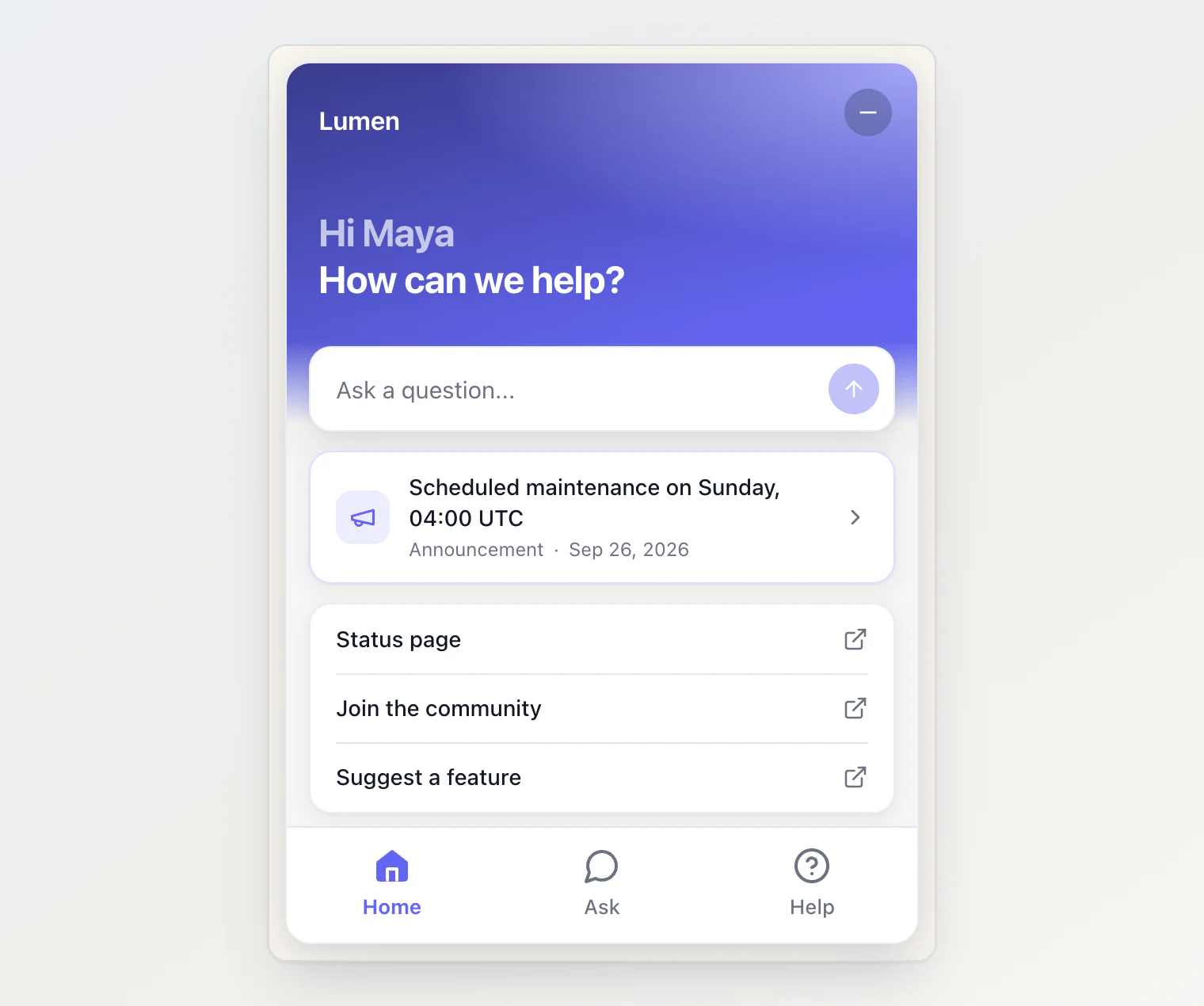
The widget
A Home tab. A greeting, a question box, your latest announcement, your own links, the newest changelog entries and blog posts, and your most viewed help articles.
A Help tab. A search box and the collections of your help center, each with its article count.
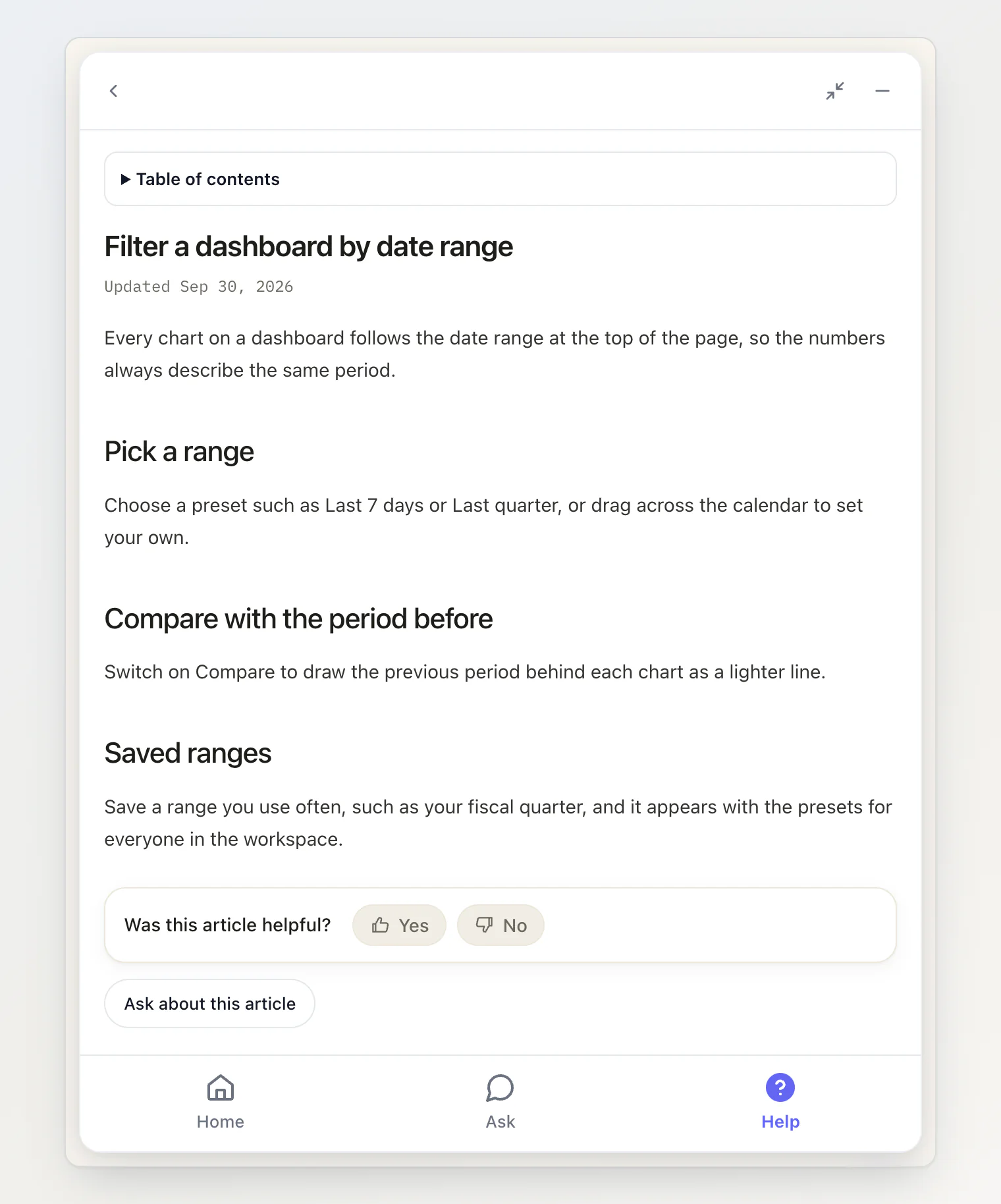
An article reader. Sources under an answer, links inside one and everything on Home and Help open inside the widget, with a back button. A help article has a table of contents, a "Was this helpful?" vote and an Ask about this article button; a blog post or a changelog entry has reaction buttons.
Open an article from your own page. Give any element
data-kookee-article="article-slug"and a click opens that article in the widget.KookeeChat.open({ article: 'article-slug' })does the same from code, andopen('home'),open('ask')andopen('help')open a tab.Custom links. Up to five links on Home, for a status page, a community or your social accounts.
Hide the launcher from the tag.
data-hide-launcher="true"now works on the script tag as well as ininit().
Every widget already installed stays a plain chat until you switch the tabs on.
The dashboard
Site widget is the new name of the AI Chat page, with four tabs: Overview, Conversations, Customize and Installation.
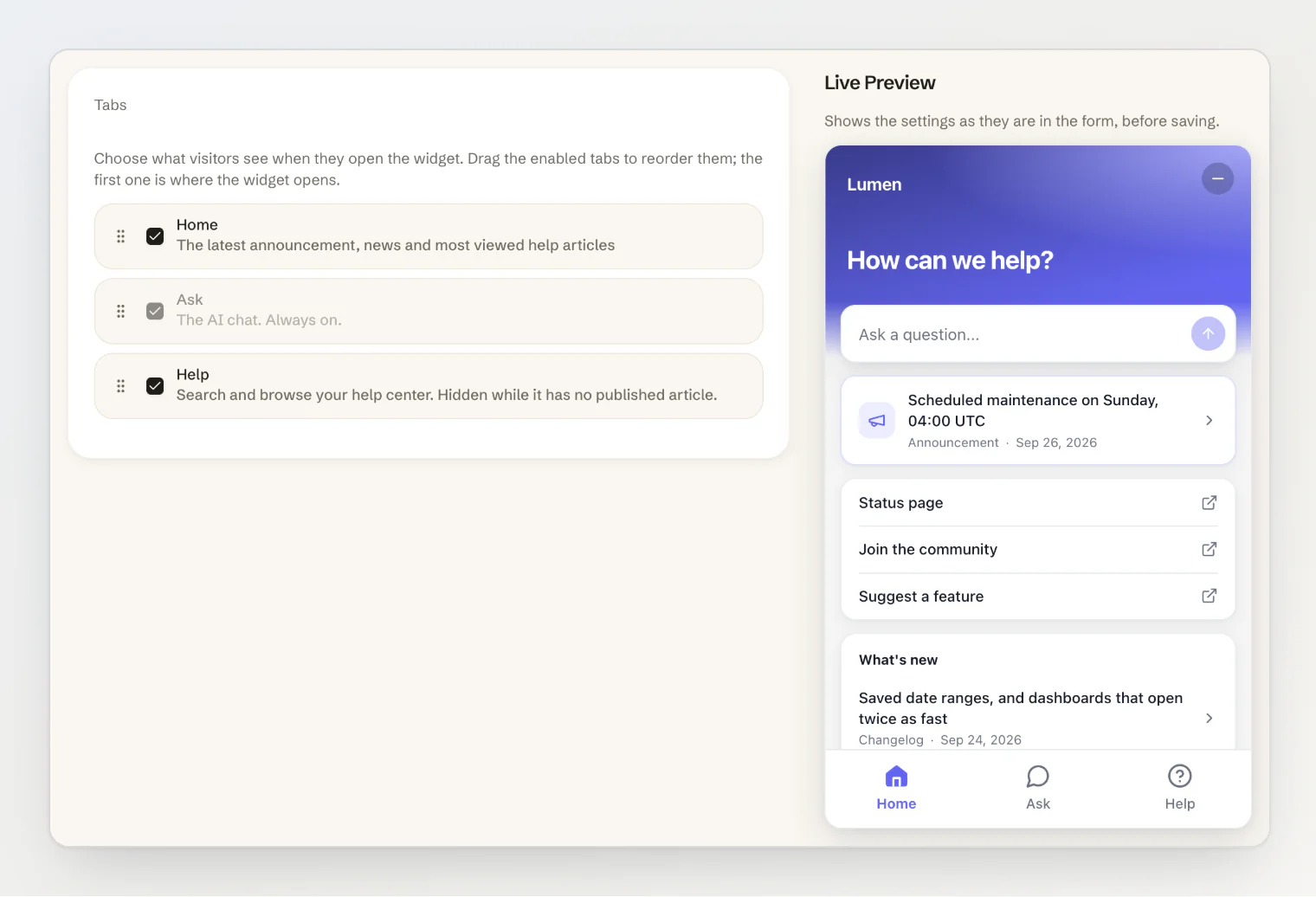
Customize saves the widget's tabs, title, greeting, placeholder, suggestions and links, with a live preview. A saved change reaches your site within about a minute, with no deploy. Assistant Instructions moved here too.
Installation is a snippet builder: pick a theme, a position, an accent color and a launcher text, and copy the script tag or the React component it writes. The look stays in your code and is not stored.
Overview got a redesign, and shows which tabs your widget has.
The sidebar. Its sections fold, Public Portal moved under Engage, Consent is now called Cookie banner, and Help & Support opens the widget.
On the hosted portal, the switch is now called Show the site widget, and a cited article opens inside the widget.
Fixed
Last activity in the conversation list showed the wrong time outside UTC.
Getting it
The script tag at https://kookee.dev/chat/latest.js picks all of it up with no change to your site. From npm, update to @kookee/react 1.11.0 and @kookee/sdk 1.11.0, and import @kookee/react/content.css and @kookee/sdk/styles/content.css next to chat.css so articles in the reader are styled.
Then open Site widget → Customize and switch the tabs on. See Add Home and Help tabs to your widget and Open help articles inside the widget in the help center.