Our feedback board lives on the hosted portal, and it asks for an account before anyone can post. We like it that way. One account is one vote, every post has an author you can reply to, and your team decides what stays up in public.
Now think about who actually finds the bugs. Someone is halfway through an export, and the last chart is missing from the PDF. To tell you, they have to leave the page, find your portal, create an account, confirm their email, and write a post that strangers will read. A few will. Most will close the tab, or mention it to support a week later in two words.
So the site widget has a Feedback tab now. A visitor writes what happened, on the page where it happened, and sends it without an account. The message goes to your team and to nobody else. In the same release we also did something we had put off for a while: the AI chat, Ask AI, became optional.
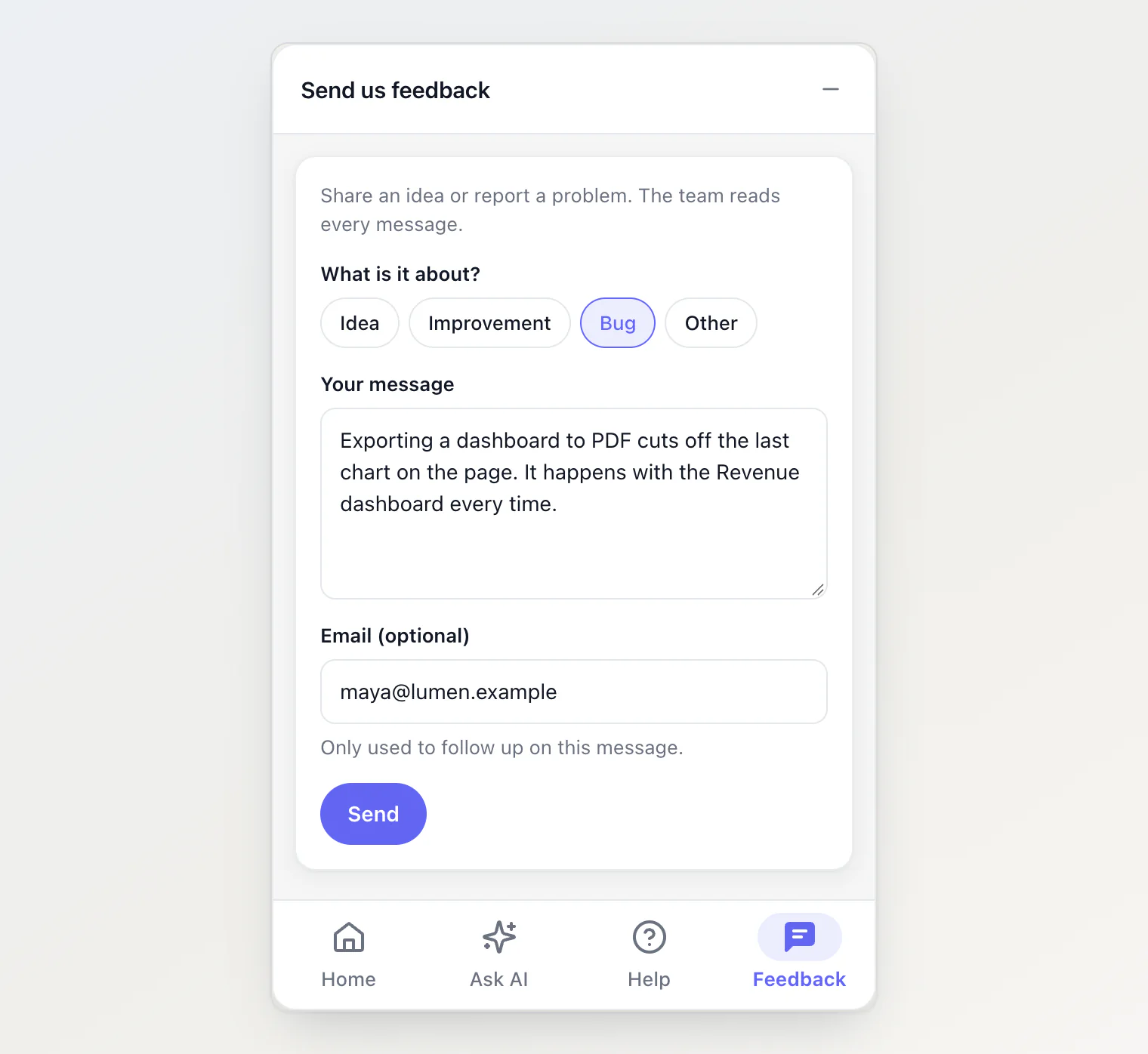
These are the rules we built it by.
1. Ask for the message, not for an account
The form asks three things: what it is about (an idea, an improvement, a bug or something else), the message itself, and an email if they want an answer. When your site already tells the widget who is signed in, the email is filled in for them. The page they were on travels with the message, so "the export is broken" arrives with the address of the page where it broke.
We did consider the obvious shortcut. Kookee already supports guest users, so every message could have created one. We decided against it. A guest account per message fills your user list with people who never signed up, and it promises something that is not there: an account nobody can sign into, holding a post nobody can find again. A widget message is stored as what it is, a message, with whatever contact details the visitor chose to leave.
2. Nothing goes public until a person has read it
An open form on the internet collects three kinds of messages: useful ones, half-finished thoughts, and spam. Sending them straight to a public board would make your board look like your inbox.
So messages wait. The Feedback page in your dashboard has a second view, From the widget, with every message, its category, who sent it if they said, the page it came from and when it arrived.
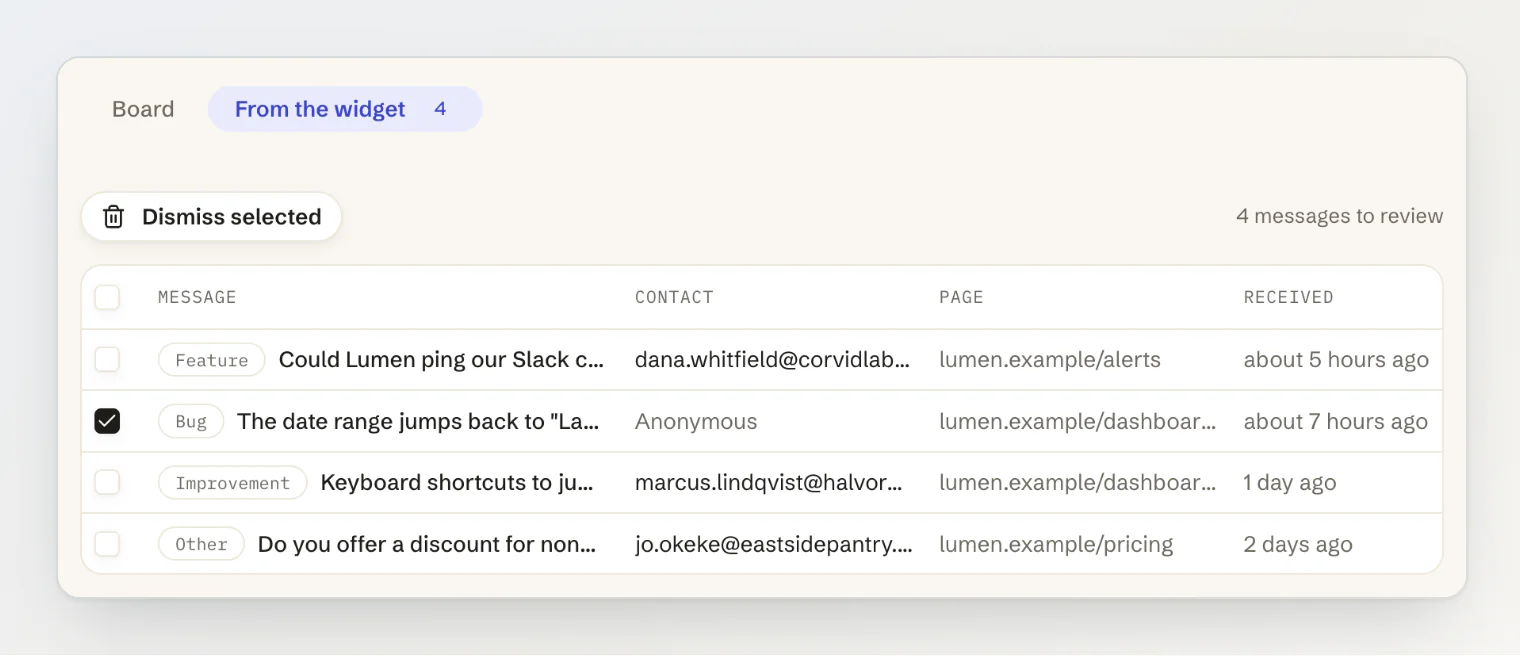
Opening one gives you three choices. Add to board turns it into a post in your first open column, under a title you choose. Link to an existing post is for the request you already have: the message joins that post instead of becoming a duplicate of it. Dismiss deletes it.
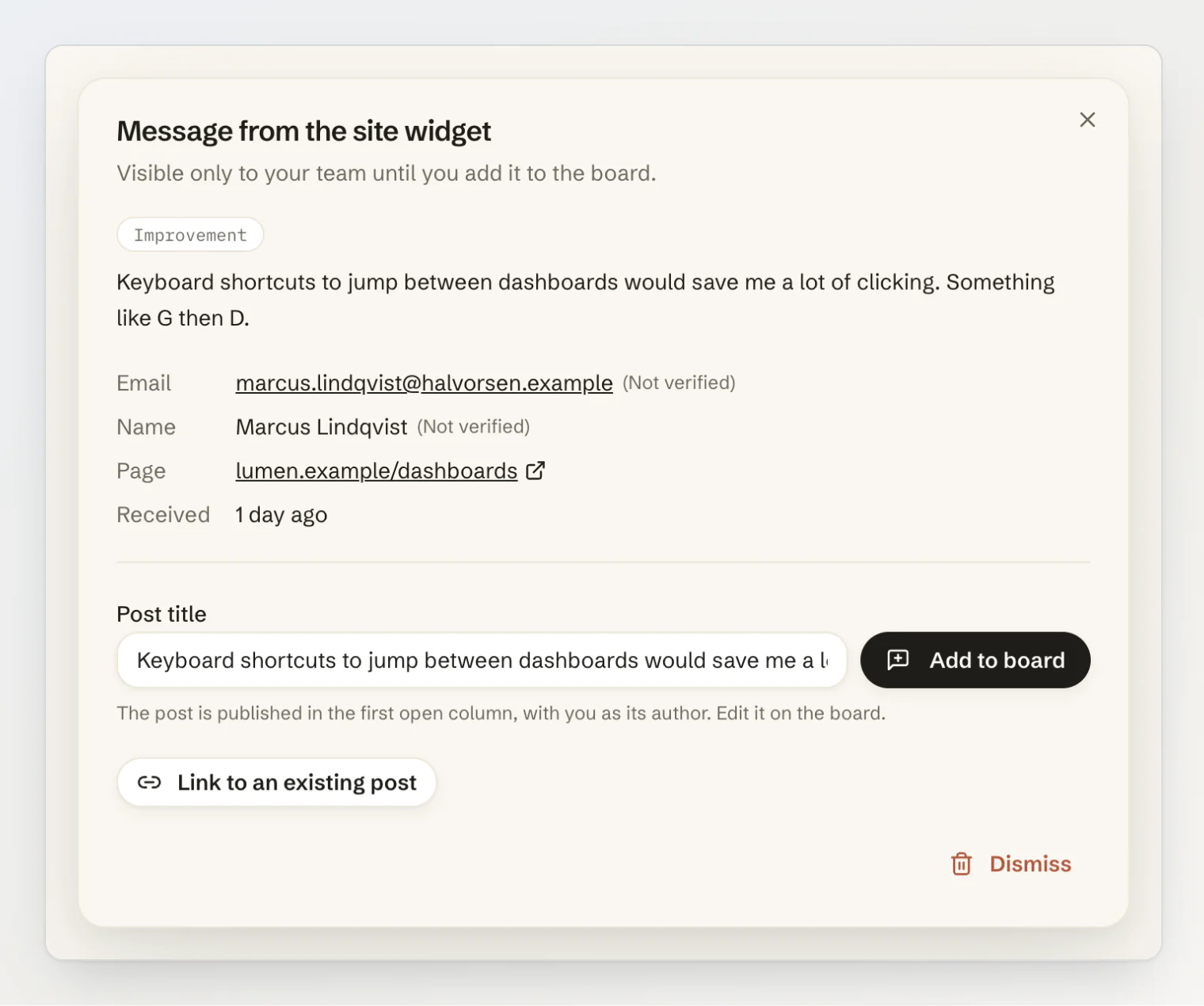
Linking is the one we expect to matter most. Ten people describing the same missing feature in ten different ways should become one post with ten people behind it. The post keeps their messages, and the ones who left an email can hear from you when it ships.
3. Tell the team once an hour, not once a message
A notification for every message works until the first busy day. After that, it teaches everyone to ignore notifications.
So the widget alerts nobody in real time. Once an hour, if new messages came in, everyone on the team gets one notification in the dashboard and one email saying messages are waiting. Ten messages in an hour make one email. A quiet week makes none.
4. An open form needs limits that real people never reach
Anything a visitor can send without an account, a script can send too. The limits sit far above what a person does and well below what a script does: 30 messages an hour from one address, 120 an hour for a whole project, and at most 1,000 waiting for review. When the queue is full, the widget turns new messages away until someone reviews a few, and the dashboard says why.
Two more decisions came from the same thinking. A message nobody adds to the board or links to a post is deleted after 90 days, so the queue cannot grow forever. And a sent message does not count against your monthly API quota. A feedback form should not cost you anything when someone uses it.
5. The chatbot should be optional, too
Until this week, the chat was the one tab you could not turn off. Home, Help and Feedback were extras around it. We made that call early, when the widget was only a chat, and it outlived its reason.
Some teams do not want an AI answering their customers yet. Some have a dozen help articles and know the assistant would mostly say it is not sure. Some only want a place for their docs, their changelog and a feedback form. For them, a widget that insists on a chatbot is a widget they do not install.
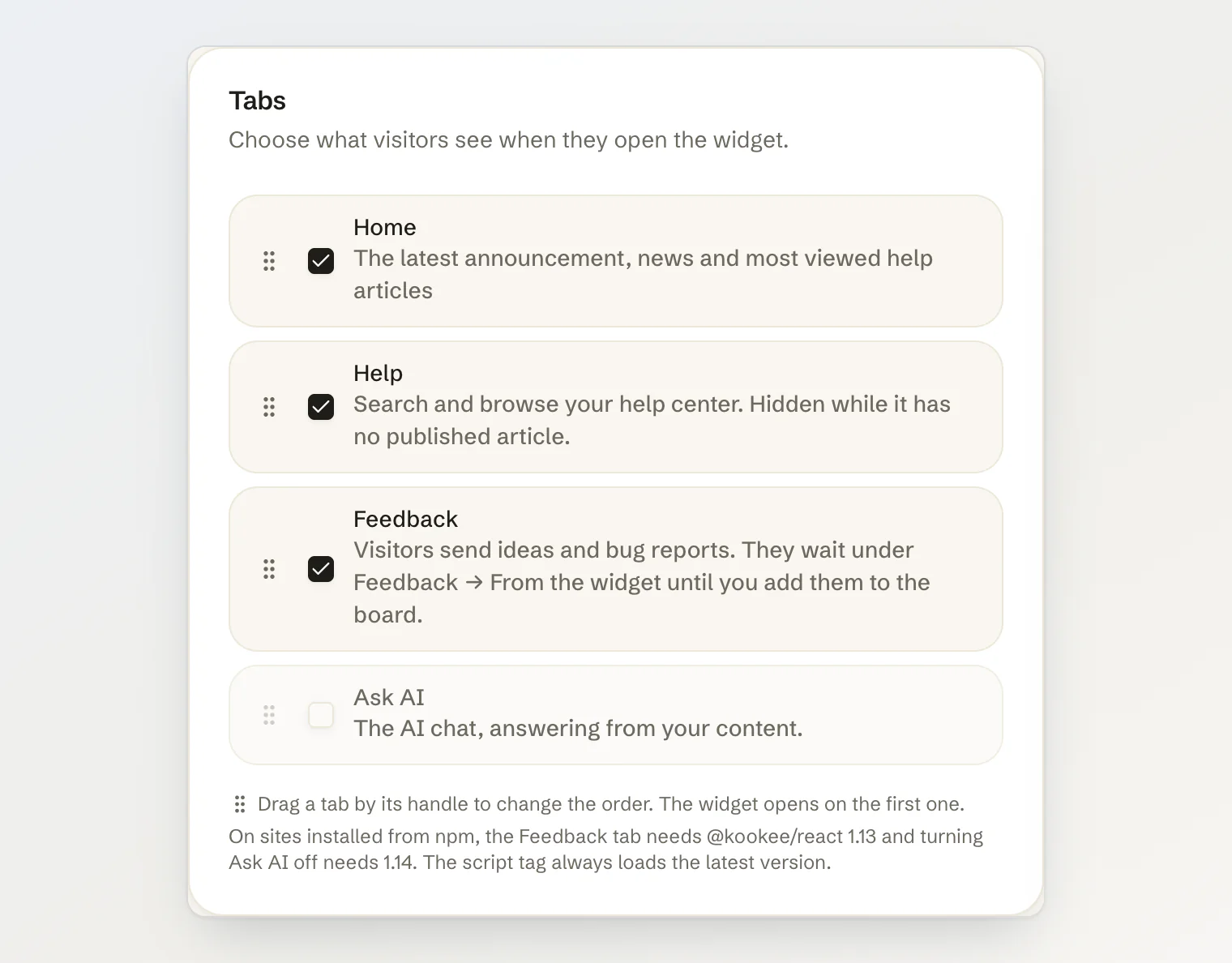
Ask AI is now a tab like the others. Untick it, and the widget has no chat anywhere: Home loses its question box, articles lose Ask about this article, and even a KookeeChat.sendMessage() call from your own code does nothing, so no answer gets generated that nobody would read.
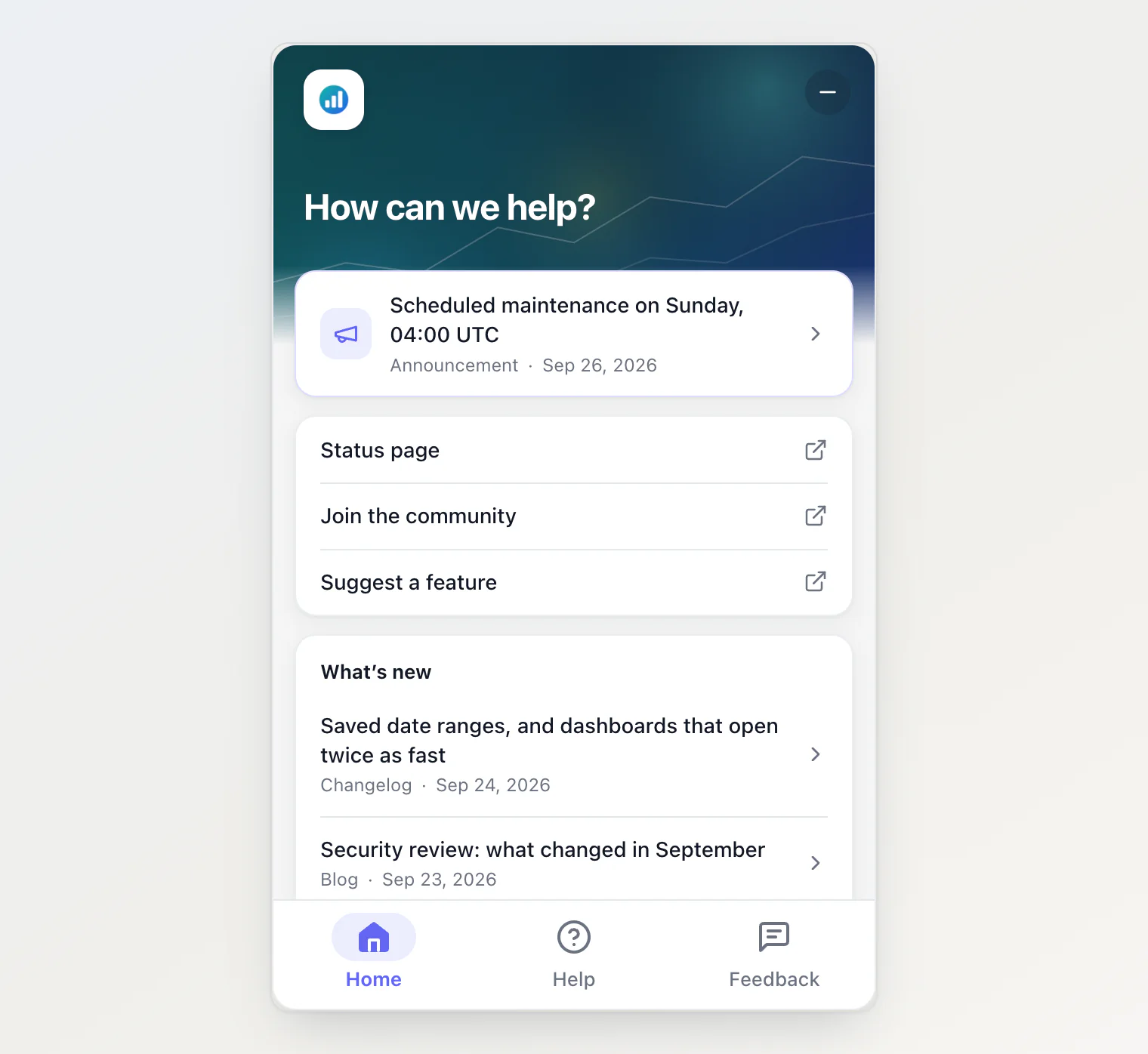
One detail needed more care than it looks. The widget used to open on the chat and switch to the saved tabs when they arrived from the server, a moment later. With the chat possibly switched off, that moment would show a chatbot the owner had turned off, and a quick visitor could start typing into it. So a panel that opens with the page now waits for its settings, for five seconds at most. If the request hangs, the visitor gets the chat rather than a spinner, and the real tabs take over when they arrive.
The dashboard has one guard of its own: the last tab you leave on cannot be unticked, so a widget always shows something.
What we left out
Replies. There is no inbox and no conversation in the widget. If you want to answer someone, write to the email they left. A reply thread is a support tool, and a feedback form that tries to be one ends up a worse version of both.
Votes. Visitors cannot vote from the widget. Voting stays on the portal, where one account is one vote.
Trust in what the page says. The name, id and email a site passes to the widget show up on the message marked as not verified. They are labels, not identities.
Getting it
The script tag picks all of this up with no change to your site. From npm, the Feedback tab needs @kookee/react 1.13, and turning Ask AI off needs 1.14. Then open Site widget → Customize, tick Feedback, and untick Ask AI if you want a widget without the chat.
To open the form from a "Report a problem" link of your own:
KookeeChat.open('feedback');The full walkthrough is in Collect feedback from your site widget, and the other tabs are covered in Add Home and Help tabs to your widget.