The Feedback tab of the site widget lets a visitor tell you about an idea or a problem from the page they are on, without signing up for anything. Their message comes to you privately. Nothing appears on your public board until someone on your team decides it should.
Turn it on
Open Site widget → Customize, tick Feedback in the Tabs card, drag it to where you want it, and press Save. The change reaches your site within about a minute. The Live Preview shows the form but never sends anything, so you can try it on a real key.
From code, add feedback to the tabs, or open the tab from your own button:
<script async src="https://kookee.dev/chat/latest.js"
  data-api-key="YOUR_API_KEY"
  data-tabs="home,ask,help,feedback"></script>

<button onclick="KookeeChat.open('feedback')">Send feedback</button>
The script tag picks the tab up with no change. A site that installs the widget from npm needs @kookee/react 1.13 or later. The other tabs, and how to turn the AI chat off, are in Add Home and Help tabs to your widget.
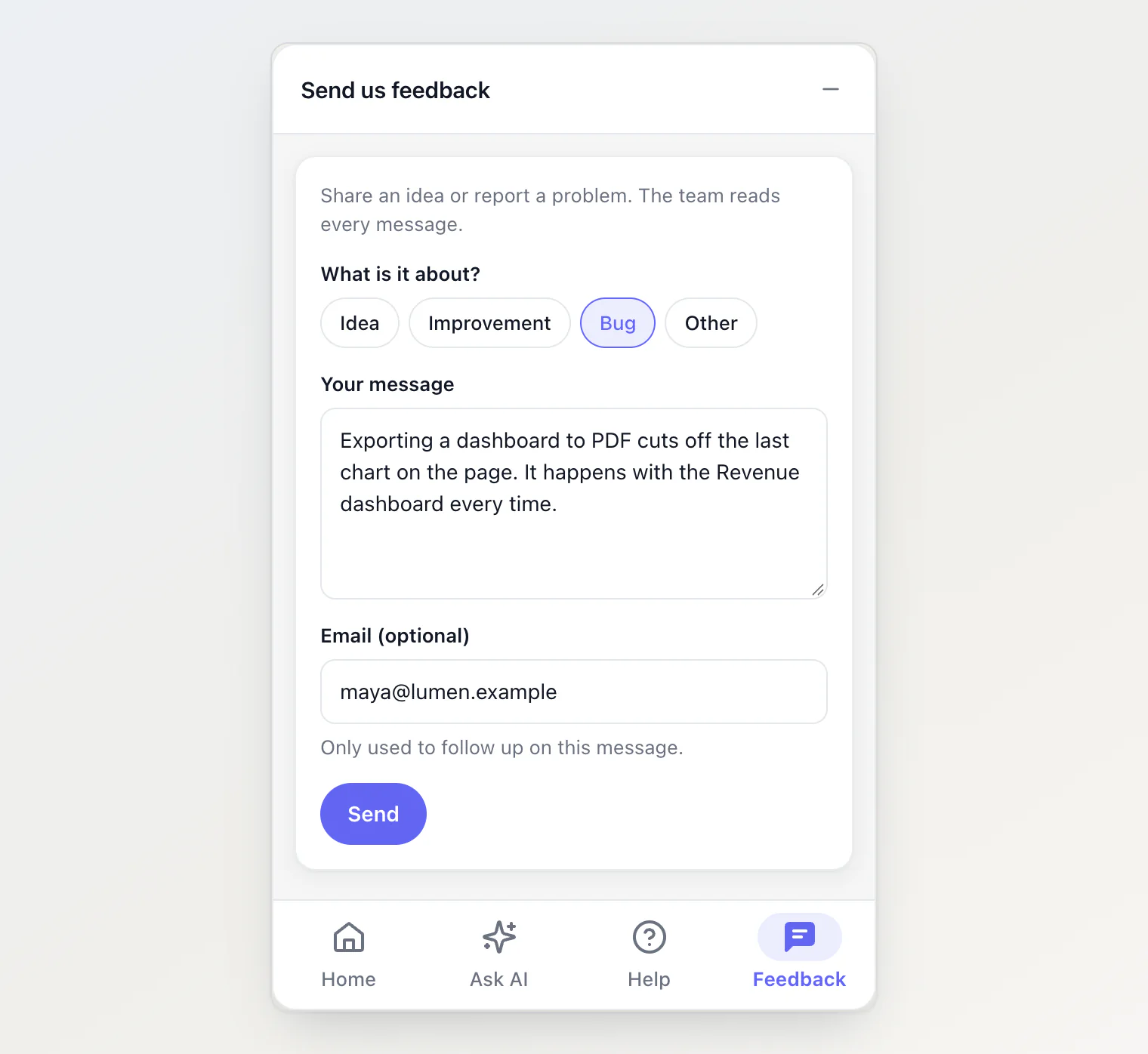
What the visitor sees
What is it about? Idea, Improvement, Bug or Other.
Your message, up to 5,000 characters.
Email (optional), for you to follow up. When your site tells the widget who is signed in, their email is already filled in (see Identify who is chatting).
After Send, the visitor sees "Thanks for your feedback!" and can send another. There are no replies inside the widget: if you want to answer, write to the email they left.
Each message also carries the address of the page it was sent from (the site and path, without the query string) and the visitor's name and id if your site passed them. A site that turned page context off (data-page-context="false" or pageContext={false}) sends no page address. None of these details are verified, so treat them as what the visitor or the page claims.
Review the messages
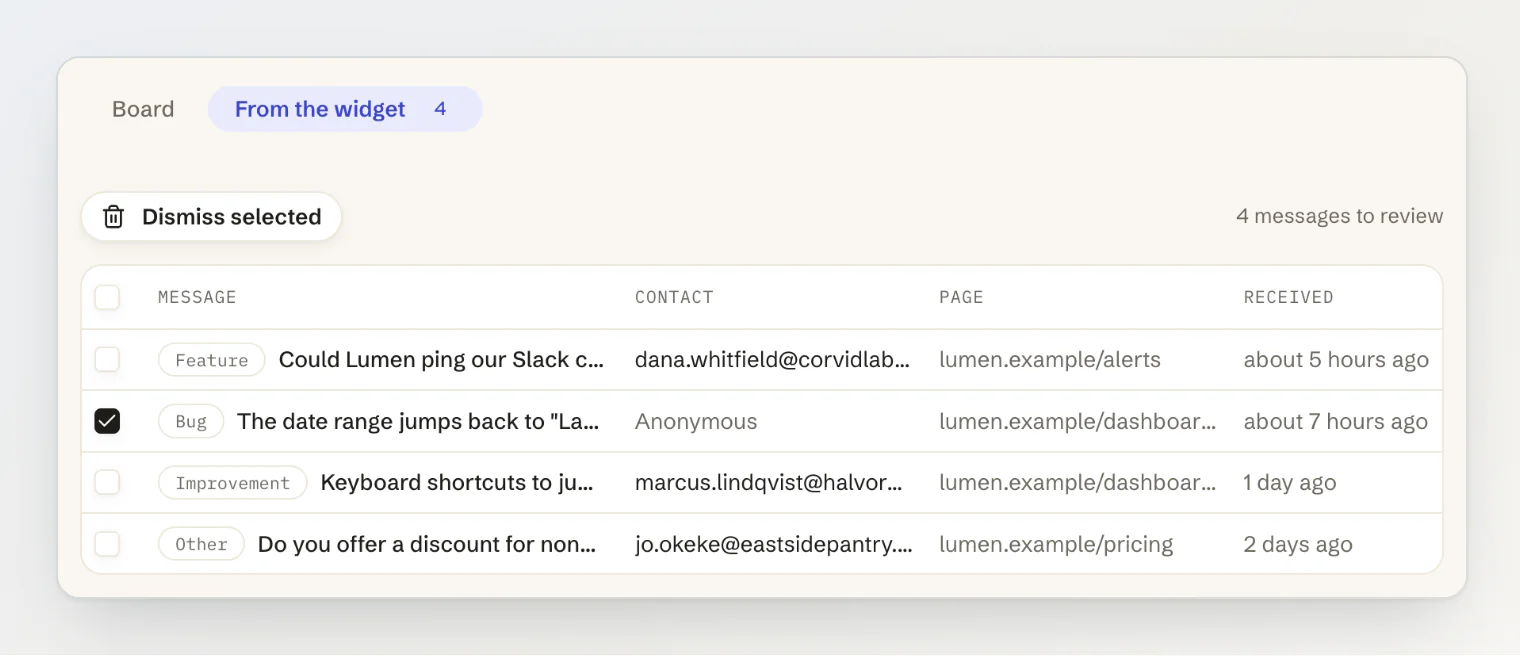
Messages wait on the Feedback page, under From the widget. The tab shows how many are waiting, and each row has the category, the message, the contact, the page and when it arrived.
Open a message to read it in full and decide what happens to it:
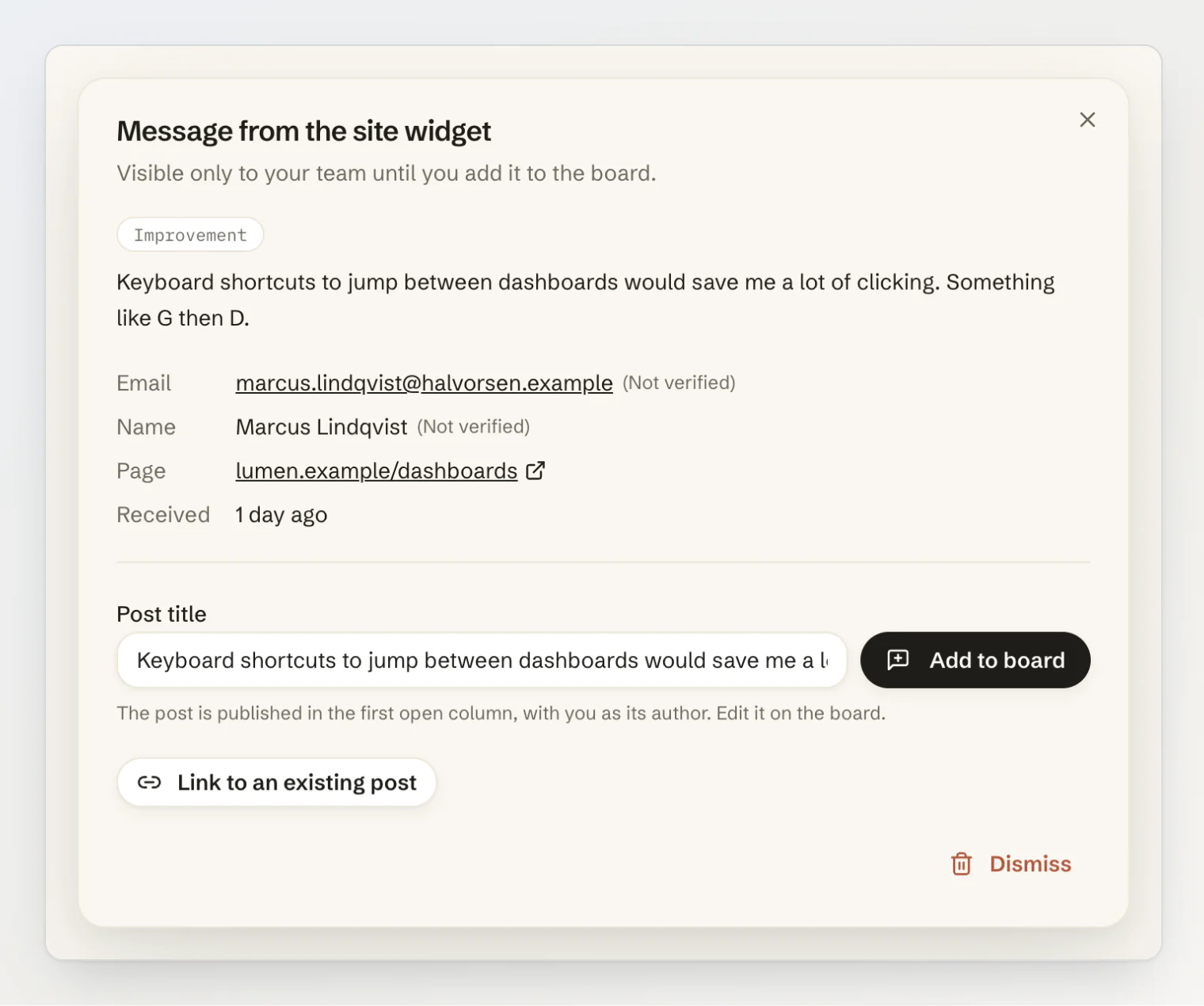
Add to board publishes a new post with the title you give it (the message fills it in to start), in the first open column of your board, with you as its author. Edit it on the board like any other post.
Link to an existing post is for a request you already have. Search for the post by title and pick it, so one post collects everyone who asked.
Dismiss deletes the message. To clear several at once, tick them in the list and use Dismiss selected. This cannot be undone.
A post that messages were added or linked to lists them in its dialog on the board, under From the widget, with the email each visitor left. When the feature ships, you know who to tell.
Notifications
Once an hour, if new messages came in, your team gets a notification in the dashboard and an email: "New messages from your site widget are waiting for review." There is one digest per hour, however many messages arrived, so a busy day does not fill your inbox.
Limits
A visitor can send up to 30 messages an hour, and your project receives up to 120 an hour. Past that, the form asks the visitor to try again later.
Up to 1,000 messages can wait for review. When that many are waiting, the widget turns new ones away until you review some, and the From the widget list tells you so.
A message nobody added to the board or linked to a post is deleted after 90 days.
Sending a message is not counted against your monthly API quota.
Add to board creates a feedback post, and a project holds up to 1,000 feedback posts on Free, 25,000 on Pro and 250,000 on Ultra. When the board is full, the message stays in the list, and Link to an existing post still works, since it adds no post.
Send messages from your own form
The widget sends messages with widget.sendFeedback() from @kookee/sdk, and you can call it from a form of your own. The messages land in the same list:
await kookee.widget.sendFeedback({
  category: 'bug', // 'feature' (shown as Idea), 'improvement', 'bug' or 'other'
  message: 'Exporting a dashboard to PDF cuts off the last chart.',
  email: 'maya@example.com',
  pageUrl: window.location.origin + window.location.pathname,
});
Over plain HTTP it is POST /v1/widget/feedback with your API key.
From an AI assistant
An assistant connected over MCP with write access can file a post straight onto the board with the create_feedback tool, for example from a support ticket you paste in. That post is published at once, as you, and skips the review list. It counts toward the same feedback post limit. See Managing your content from an AI assistant (MCP) and Triaging feedback from an AI assistant.