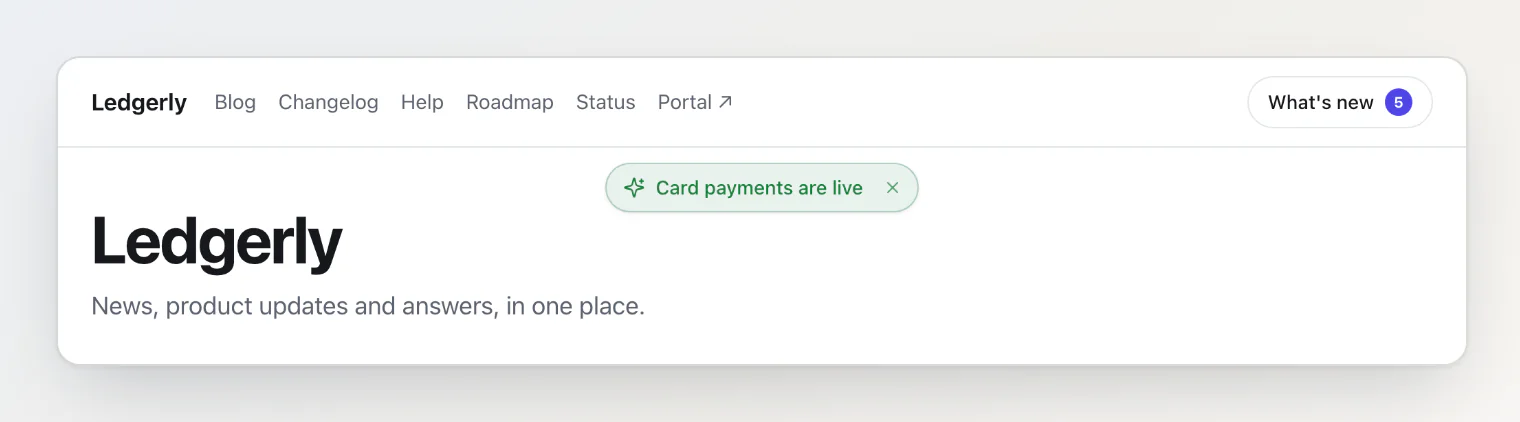
An announcement is a short message you write in the dashboard, such as a maintenance window or a new feature, and your app shows it without a deploy. @kookee/react 1.20 renders it in three pieces: a pill with the newest announcement, a list of them, and one announcement in full. The dialog, sheet or page they open in is your app's own, so it moves focus and animates like the rest of your app. The announcement pill and dialog on your hosted portal are built from the same pieces.
Install
npm install @kookee/react @kookee/sdkThe announcement components need version 1.20.0 of both packages. Import @kookee/react/content.css once, at the root of your app, as React components for your blog, changelog and help center describes; without it the pieces render unstyled.
What each piece does
The three components come from @kookee/react/announcements. They render on the server as well as in the browser, and need no provider.
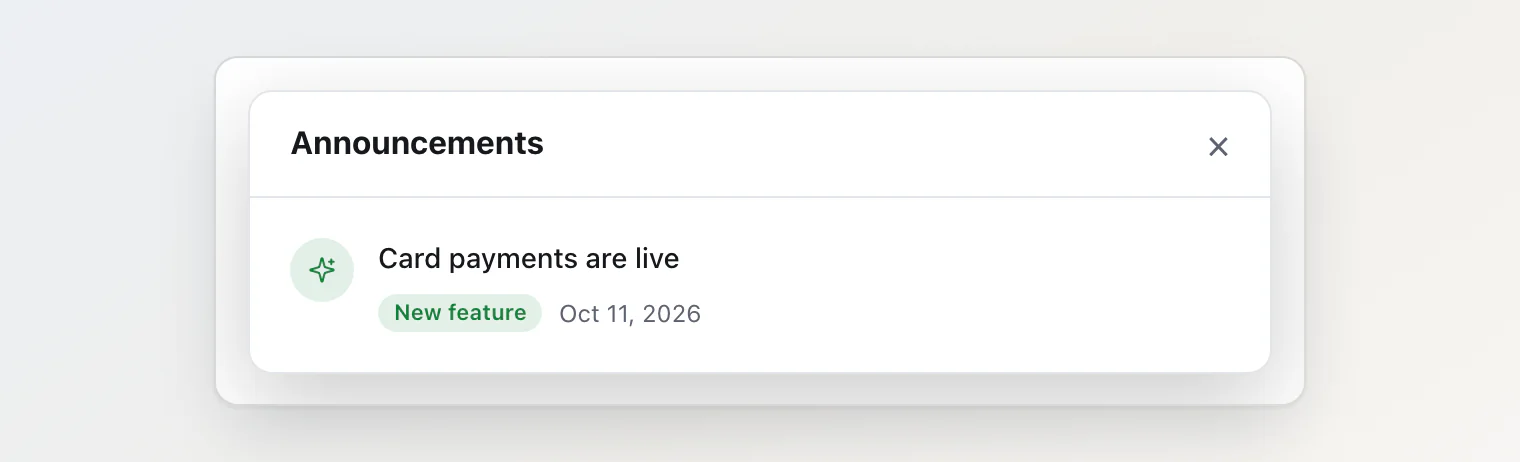
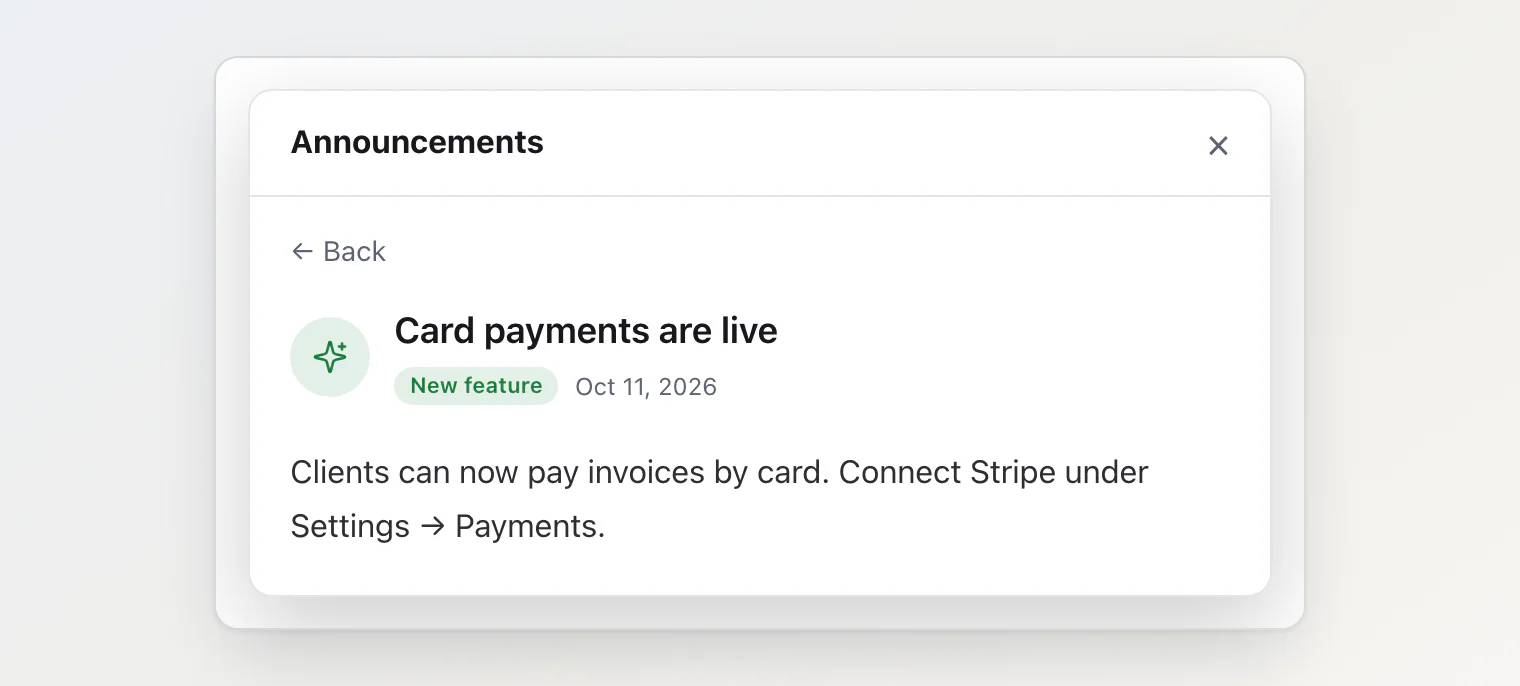
AnnouncementPillshows one announcement's type icon and title. WithonOpenthe title is a button; without it, plain text.onDismissadds a dismiss button. Given no announcement, it renders nothing, sovisible[0]can go in as it is. It isn't positioned: place it under your header. Its title wraps to two lines on a narrow screen and stays on one line from 40rem up, cut with an ellipsis.AnnouncementListshows a row per announcement: type icon, title, the excerpt when there is one, type badge, date, and a dismiss button when you passonDismiss.onSelectturns each title into a button that covers its row. With no announcements it shows "No announcements", or the node you pass asempty.AnnouncementArticleshows one announcement in full: type icon, title, type badge and date, then the body. List responses carry no body, so it takes the detail thatuseAnnouncement(id)orkookee.announcements.getById(id)returns. Announcements have no slug, only an id.
useDismissedAnnouncements, from @kookee/react/announcements/client, takes the list and returns visible, the announcements the visitor hasn't dismissed, and dismiss, for the pill and the list to call.
Wire them together
The pill opens your dialog, the dialog shows the list, and a title in the list replaces the list with that announcement in full:
'use client';
import { useState } from 'react';
import { useAnnouncement, useAnnouncements } from '@kookee/react';
import { AnnouncementArticle, AnnouncementList, AnnouncementPill } from '@kookee/react/announcements';
import { useDismissedAnnouncements } from '@kookee/react/announcements/client';

export function Announcements() {
  const { data: announcements } = useAnnouncements({ limit: 20 });
  const { visible, dismiss } = useDismissedAnnouncements({ announcements });
  const [open, setOpen] = useState(false);
  const [selectedId, setSelectedId] = useState<string>();
  const { data: selected } = useAnnouncement(selectedId);

  const close = () => {
    setOpen(false);
    setSelectedId(undefined);
  };

  return (
    <>
      <AnnouncementPill announcement={visible[0]} onOpen={() => setOpen(true)} onDismiss={dismiss} />
      <YourDialog open={open} onClose={close}>
        {selectedId && selected?.id === selectedId ? (
          <AnnouncementArticle announcement={selected} />
        ) : (
          <AnnouncementList
            announcements={visible}
            onSelect={(announcement) => setSelectedId(announcement.id)}
            onDismiss={dismiss}
          />
        )}
      </YourDialog>
    </>
  );
}
YourDialog stands for your app's dialog. useAnnouncement keeps its previous result while a new id loads, and after the id goes back to undefined. The article therefore shows only once selected.id matches selectedId. close resets the id, so the dialog opens on the list next time.
useAnnouncements and useAnnouncement read from KookeeProvider; Reading Kookee content with React hooks sets it up. useDismissedAnnouncements needs no provider. onOpen, onSelect and onDismiss are functions, so in the Next.js App Router the component that passes them is a client component, hence the 'use client' line at the top.
Read them on the server
On a server-rendered site, read the announcements in full on the server and pass them to one client component. Opening one then makes no request from the browser:
// on the server: one request for the list, one per announcement
const { data } = await kookee.announcements.list({ limit: 10 });
const announcements = await Promise.all(data.map((item) => kookee.announcements.getById(item.id)));

// in the client component, instead of useAnnouncement
const selected = announcements.find((announcement) => announcement.id === selectedId);
useDismissedAnnouncements and the three components take these details as they are.
See it in the starters
Each of the four starters shows the pill under its header and opens a native <dialog> with the list, then an announcement in full with a Back button. Dismissals persist across visits. Try it in the live demos for Next.js, Astro, TanStack Start and Vite React.
Each starter reads them its own way:
Next.js reads the ten newest in full on the server, cached under the tag
kookee:announcement, and its webhook route refreshes them when you publish, change or take one down.Astro reads them at build time and passes them to one island that loads once the browser is idle.
TanStack Start reads them in a server function that the root loader calls alongside the reads for the header and footer.
Vite React reads them in the browser with
useAnnouncementsanduseAnnouncement.
What happens to dismissals
useDismissedAnnouncements keeps dismissals in the visitor's localStorage, under the key kookee:announcements:dismissed; storageKey changes it.
A dismissal is stored by translation group, so dismissing the German version hides the English one too.
visibleis empty in the server render and fills in after hydration. A dismissed announcement never flashes on the page; the pill appears a moment after the page loads.When storage is blocked or full, dismissals hold in memory for as long as the page stays open.
Every
useDismissedAnnouncementscall with the same key updates at once, so a pill in your header and a list rendered elsewhere on the page stay in step. Other open tabs follow.Dismissals stay in one browser: the same announcement shows again on the visitor's phone. To keep them with the visitor's account, store them yourself and filter the list before you pass it in.
If you stored dismissed ids yourself as a JSON array, as the earlier version of this article did under
dismissed-announcements, pass that key asstorageKey. The hook matches ids as well as translation groups, so visitors keep what they dismissed.
The pill shows the newest announcement the visitor hasn't dismissed, however old. To show only recent ones, filter the list by publishedAt before you pass it in.
Types and colours
The type comes from the announcement's Type card in the dashboard: Info, Warning, Critical, Promotion, Maintenance or New feature. An announcement without a type, or with an unknown one, shows as Info. The pill, each row, the article, the badge and the icon carry the type's key as data-type, and each type takes a colour you can override:
Type |
| Colour | Override |
|---|---|---|---|
Info |
|
|
|
Warning |
|
|
|
Critical |
|
|
|
Promotion |
|
|
|
Maintenance |
|
|
|
New feature |
|
|
|
Class names, slots and the other variables are in Style and customize the React components.
The type is a field, announcementType, and list items carry it. To show only critical announcements in the pill, filter by its key:
import { fieldOptionKey } from '@kookee/sdk';

const critical = visible.filter(
  (announcement) => fieldOptionKey(announcement.fields, 'announcementType') === 'critical',
);
Add a call-to-action button
The components render no call-to-action link. To send readers somewhere from an announcement, such as your pricing page, put the link in the announcement's Custom Properties card in the dashboard, as JSON:
{ "actionUrl": "/pricing", "actionText": "See plans" }The API returns that JSON as announcement.metadata.customPayload, on list items and on the detail. metadata is typed as a record of unknown values, and you write the JSON by hand in the dashboard, so check each value before you use it. A typo then hides the button instead of breaking the dialog. Render it below AnnouncementArticle:
import type { AnnouncementDetail } from '@kookee/sdk';

function AnnouncementAction({ announcement }: { announcement: AnnouncementDetail }) {
  const payload = announcement.metadata?.customPayload as { actionUrl?: unknown; actionText?: unknown } | undefined;
  const url = payload?.actionUrl;
  const label = payload?.actionText;
  if (typeof url !== 'string') return null;

  return (
    <a href={url} className="announcement-action">
      {typeof label === 'string' ? label : 'Learn more'}
    </a>
  );
}

// in the dialog
<>
  <AnnouncementArticle announcement={selected} />
  <AnnouncementAction announcement={selected} />
</>
Take an announcement down on a date
An announcement leaves the API at its Unpublish Date, set in the Unpublish Schedule card. At that moment Kookee sends entry.unpublished to your webhooks: the Next.js starter's webhook route clears its cache, and the Astro starter's deploy hook starts a build. A site without a webhook drops the notice the next time it reads the list, which for the Next.js starter's default cache can be up to six hours later.
Translations
useAnnouncements reads in the provider's locale. An announcement without a translation in that language comes back in your default language, unless you pass fallback: false.
The components' own texts come from labels: the type badges, "No announcements" and the dismiss button's accessible name, "Dismiss". Pass locale to the list and the article to format their dates in that language.
Continue reading
Style and customize the React components: the announcement colours, class names and slots, and the theme variables.
Start a site from the Next.js starter: a whole site with this pill under its header, refreshed by a webhook when you publish.
Reading Kookee content with React hooks: the provider and the hooks behind
useAnnouncementsanduseAnnouncement.