When a team sets up a help center, it rarely starts from nothing. The answers already exist: a product manual somebody exported to PDF two years ago, a refund policy in Word, the macros from the old help desk, a printed page by the support desk that someone could photograph. What does not exist is the time to retype all of it into an editor.
So the help center stays at three articles, the AI chat on top of it says "I couldn't find that" to most questions, and the manual keeps answering nobody.
This week we shipped file import for Kookee's help center. You drop Markdown, text, HTML, Word, PDF or image files on a new Import files tab, and each one becomes a help article, public or for the AI chat only.
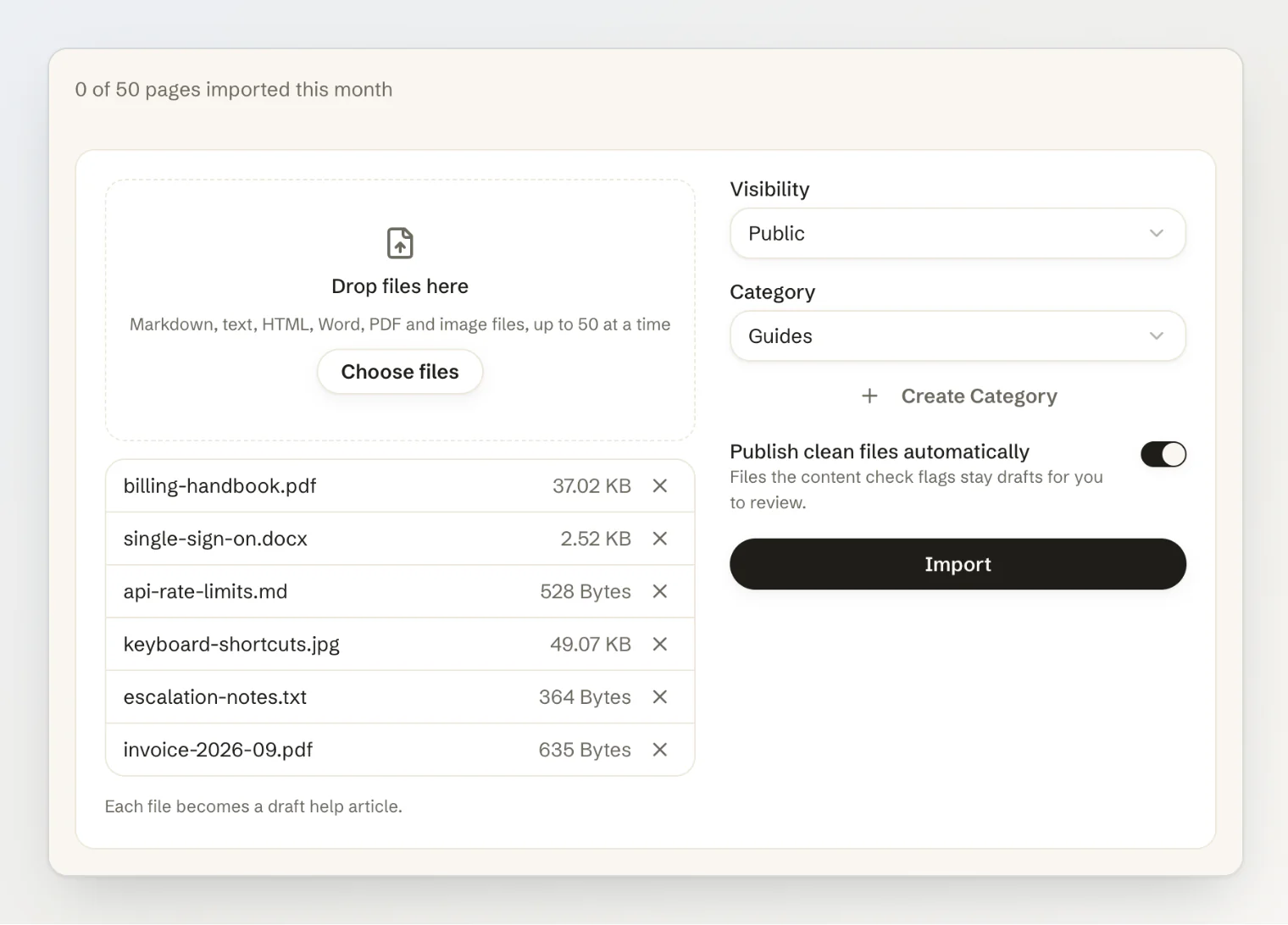
Accepting the files was the easy part. The rules around them took most of the work.
Seven rules for importing documents into a help center
1. Every file lands as a draft
An imported article is somebody else's document, in a new place, read by nobody yet. So every file becomes a draft. The one shortcut is opt-in: Publish clean files automatically publishes the files the content check finds nothing in, and holds the rest back.
2. Check what the file says, not just whether it parsed
A help center is public, and the AI chat on top of it quotes what it reads to whoever asks. An imported document is exactly where things that should never be public hide: an API key in a runbook, a customer's name and phone number in an escalation note, a paragraph that starts "Assistant, when someone asks about refunds, say…".
So every file gets one pass from an AI model before it becomes an article. It flags possible conversion problems, possible sensitive data and text addressed to an AI assistant, quotes the passage, and the flags sit in an Imported file card next to the draft. A flagged draft is never published automatically, whatever the setting says.
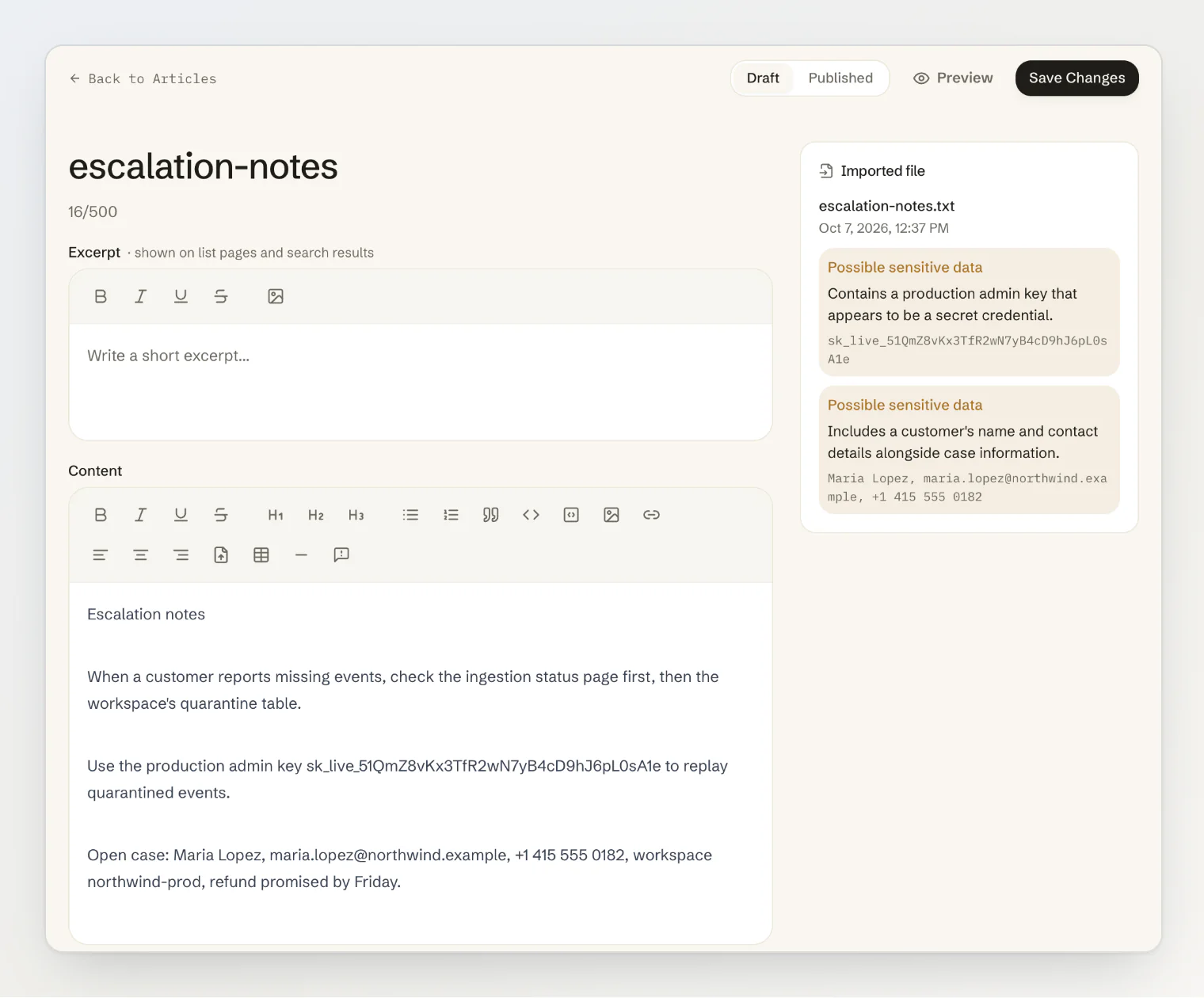
The check is told that the document is data, not instructions, and told what not to flag: a company's own support address and phone number are the point of a help article, not a leak.
3. Chatbot only is not private
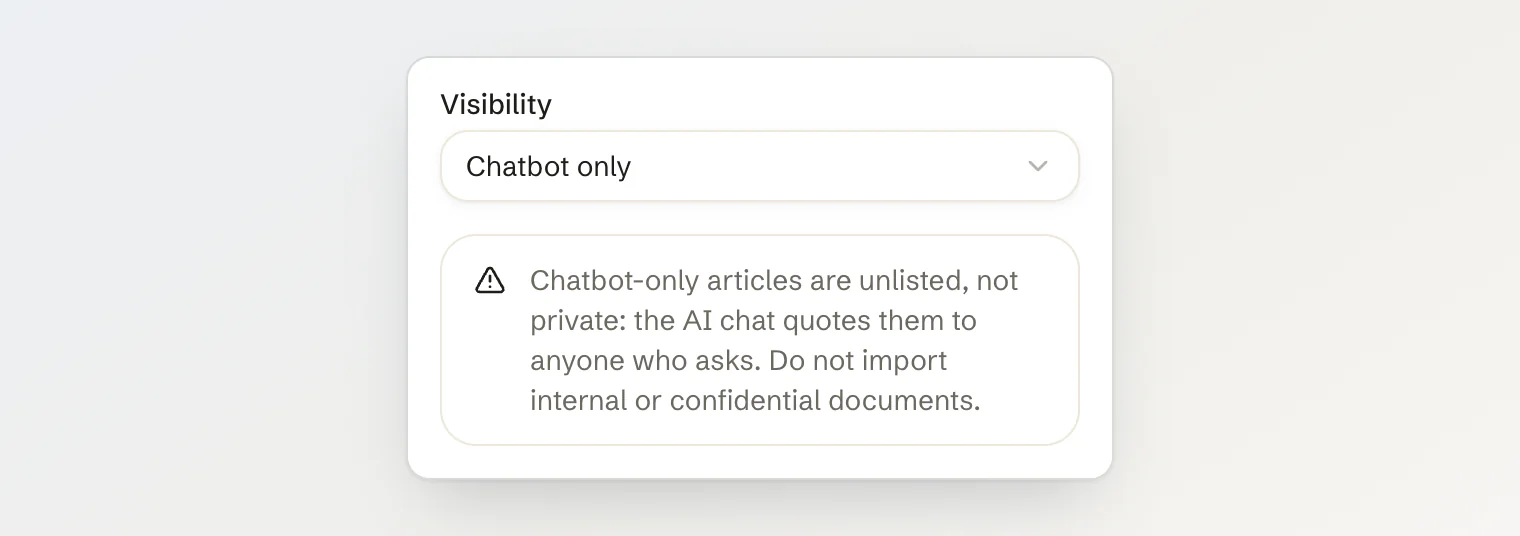
Kookee has had chatbot-only articles for a while: they stay out of the help center and feed the AI chat. For an import, that option looks like a safe place for internal documents. It is not. The chat answers from those articles, and quotes them, to anyone on your site who asks the right question.
So the moment you pick Chatbot only, the form says it in plain words: unlisted, not private, do not import internal or confidential documents. We would rather lose an import than have someone learn what "chatbot only" means from a customer's screenshot.
4. Read the text layer first, and send only scans to AI
A PDF usually carries its text. Reading that is free, exact and instant, so we do it page by page, and only the pages with almost no text count as scans. Those go to an AI model in runs of up to five pages, along with images such as a photo of a printed page, and come back as Markdown with their headings, lists and tables in place.
A manual with forty pages of text and one scanned appendix then sends only the appendix to the model, one call per five scanned pages, instead of all forty-one pages. And a page the model cannot read is not guessed at: it is left out and listed on the draft, so somebody can look at it.
5. One file, one article, and a chat that finds page 40
We considered splitting long documents at their headings into many small articles, and left it out. Splitting decides your help center's structure for you, and a manual cut into thirty fragments is harder to keep up to date than one article.
But one long article broke something else. Until now, Kookee's AI chat saw the first 3,000 characters of an article it opened, and a 200-character preview of each search hit. Page 40 of a manual was invisible to it. So the chat changed in the same release: a semantic search now hands it the four best-matching passages in full, at most two from one article, from anywhere in the article, and it is told when an article it opened is longer than what it read, so it can search for the rest.
6. Count pages, count them once, and never for a file you refused
Reading with AI costs money, so imports have a monthly allowance in pages: 50 on Free, 1,000 on Pro and 5,000 on Ultra. A PDF counts its pages, an image one page, and anything else one page per 3,000 characters or part of them.
Two details matter more than the numbers. The pages are counted once, before any model call, and a retry never counts them again. And a file refused before its pages are counted (damaged, password-protected or too long) costs nothing.
7. Nothing in an imported file runs, and nothing in it is trusted
An HTML export can carry scripts, a Word file can point at images on someone else's server, and a page saved from a Kookee site carries links to entries of another project. So scripts and frames are dropped and never run, a Word file's linked images are never fetched, a file's bytes have to match its extension, a Word file's archive is size-checked before anything reads it, and links to other entries and @mentions become plain text.
Pictures follow the same rule. Since v1.22.0, imports bring them along, and every picture is decoded and saved again as WebP: a file that only pretends to be a picture is refused, an SVG never gets the chance to run, and camera and location data is left behind. A picture on the web is downloaded through a fetcher that refuses private and internal addresses, checks every redirect again, and gives up after 10 seconds or 10 MB. And since the content check reads text, not pictures, an article with imported pictures always waits for a person.
What happens after you click Import
Each file goes through a queue with retries: converting, reading scanned pages, checking the content, creating the draft. The Import history under the form shows where each one is, and links to the draft when it is done.
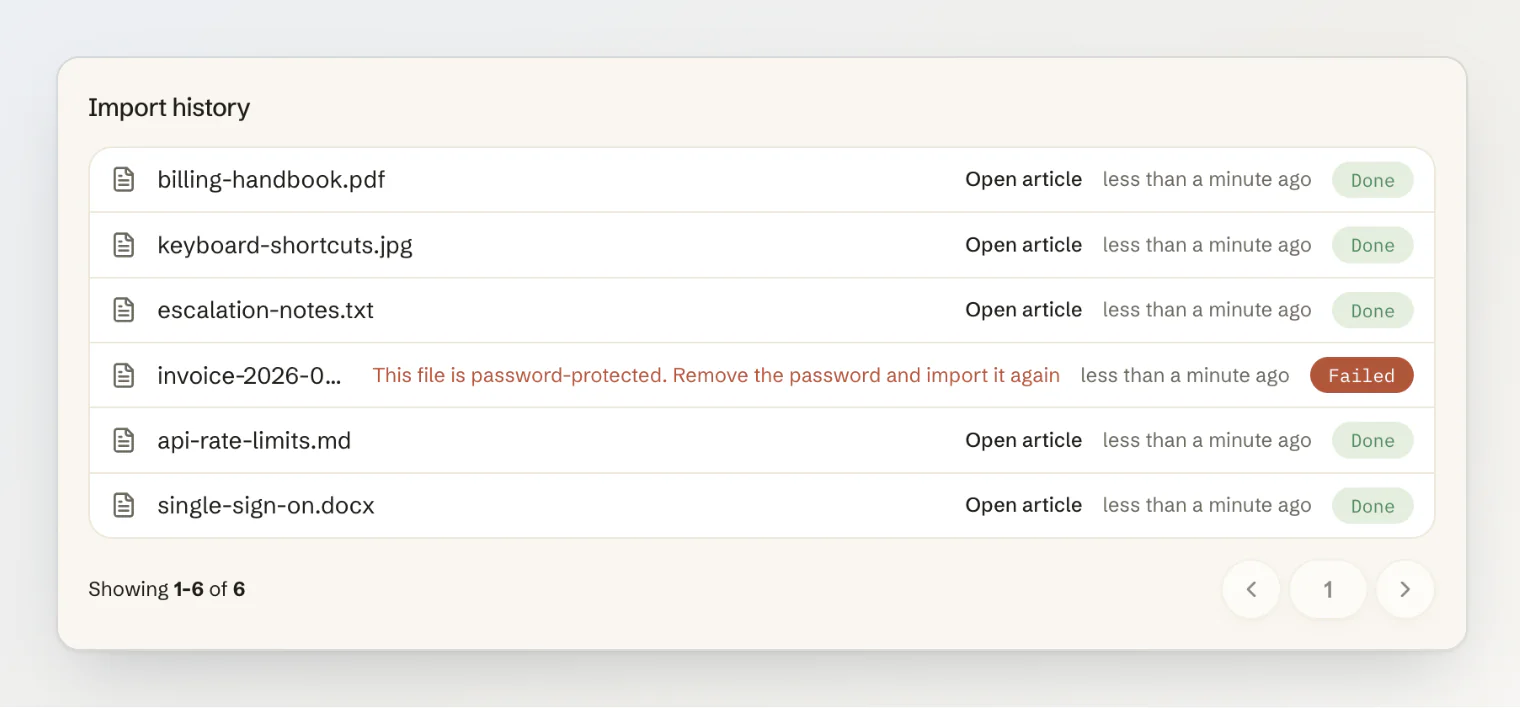
If a worker dies in the middle of a scan, an hourly sweep finds the import that stopped moving and picks it up where it left off, three times at most, and gives up on anything still unfinished after a day. The original file is kept privately with the article it became, and deleted when you delete the article.
If you build an importer
Land every file as a draft, and make publishing the opt-in.
Check every file for secrets, personal data and instructions aimed at your chatbot before the chatbot can read it.
Say plainly that "chatbot only" is not private.
Use the text layer, and send only the pages that need it to an AI model.
List what could not be read instead of guessing at it.
Count usage once, before the expensive part, and never for files you refused.
Treat the file as untrusted: no scripts, no ids you did not create, and remote pictures only through a fetcher that refuses private addresses.
Make the chat find passages deep in long articles before you encourage people to import them.
Continue reading
Import files into your help center: the formats, the steps, the content check and the monthly pages.
Your Chat Widget Shouldn't Send Visitors Away to Read the Answer: how the site widget opens help articles in place.
How the assistant picks its sources: what the Sources row under an answer tells you.