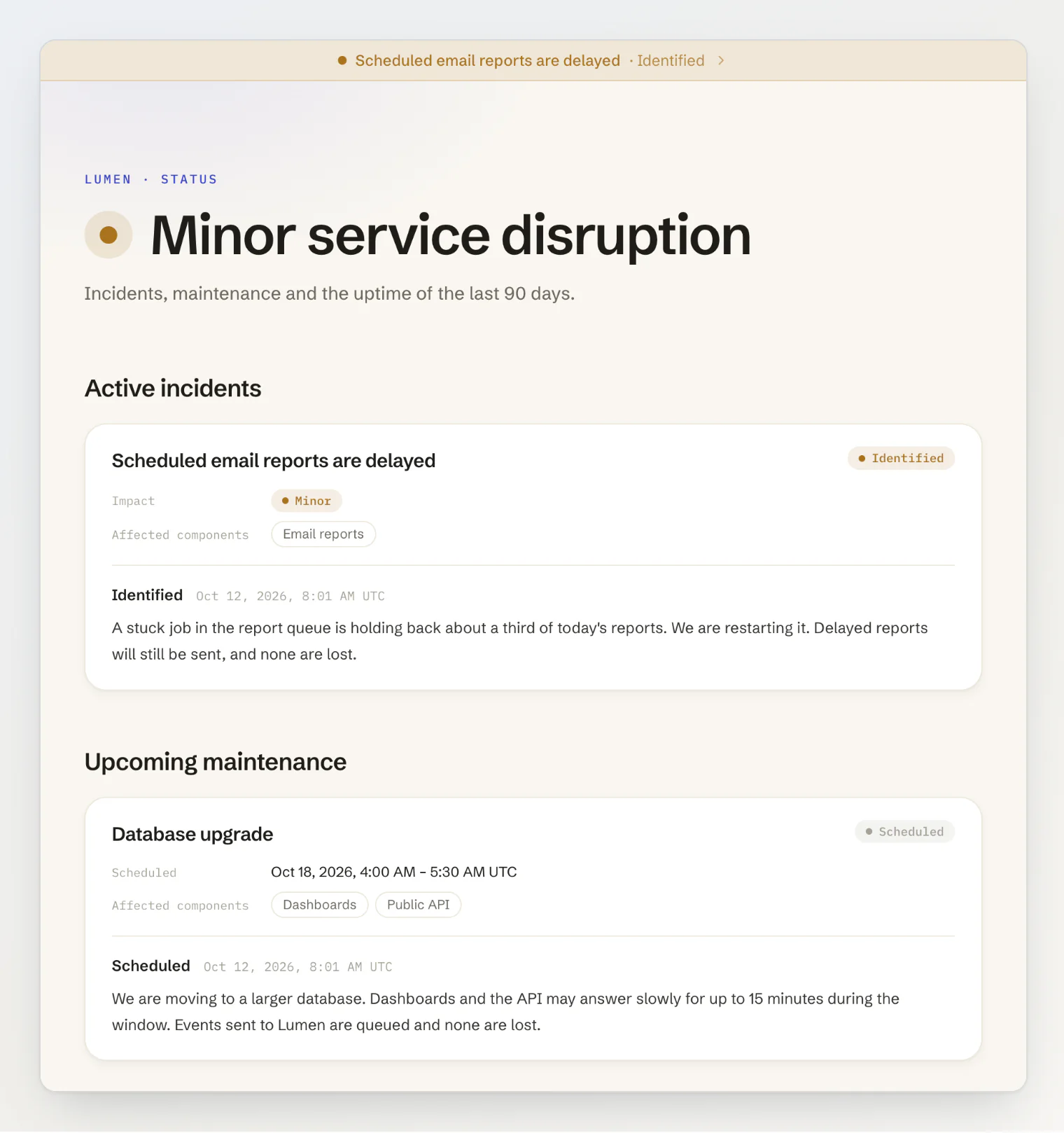
Your project now has a status page. Post incidents and their updates, schedule maintenance, and show each part of your product with 90 days of uptime, on your portal at <your-project>.kookee.dev/status or on your own site. Uptime monitors check your URLs and mark the linked component as Major outage when the checks keep failing.
New
Status page. Engage → Status Page holds your components, incidents with a timeline of updates (kept as drafts until you publish them), and maintenance windows that start and end on their own. To publish it, turn on your portal and tick Status page under Portal Modules. While something is under way, a banner shows on every portal page and on your site widget's Home tab (from
@kookee/react1.18 on sites that install the widget from npm), and the widget's AI chat knows about it.Uptime monitors. Engage → Uptime Monitor checks a URL at the interval you pick, as often as every minute on Pro and Ultra and every 5 minutes on Free, against the status codes you expect and an optional keyword, following up to 5 redirects. After three failed checks in a row, owners and admins are alerted, the linked component shows Major outage, and the monitor can open a draft or published incident. It resolves that incident when the site is back, unless someone on your team has posted an update on it.
On your own site.
@kookee/react1.19 addsStatusHeadline,StatusOverviewandStatusIncidentArticle, the components the hosted page is built from, andStatusBadgefor a header or footer, all in@kookee/react/status.useStatus({ refreshSeconds: 60 })keeps an open page current.GET /v1/statusandkookee.status.get()read the same data, and status reads do not count against your monthly API requests. The four starters add a status page withKOOKEE_STATUS=true.Events and MCP. Webhooks send
incident.created,incident.updated,monitor.downandmonitor.up, and Slack, Discord and Telegram integrations can post them. Over MCP,get_statusreads the page, andcreate_incident,update_incidentandpost_incident_updatelet an assistant write incidents.
Limits
Free | Pro | Ultra | |
|---|---|---|---|
Components | 10 | 50 | 200 |
Monitors | 3 | 20 | 100 |
Shortest check interval | 5 minutes | 1 minute | 1 minute |
Getting it
The status page and uptime monitors are live on every plan. See Set up a status page, Monitor your site with uptime checks and Show your status page on your own site.