@kookee/react/status has four React components, and the status page Kookee hosts is built from three of them. Your own site can use the same ones: it keeps its own domain and layout, and the data comes from the same project as the hosted page. The components need @kookee/react and @kookee/sdk 1.19 or later.
The components
Component | What it shows |
|---|---|
| The state of the whole page as a heading: All systems operational, Minor service disruption, Major outage or Maintenance in progress |
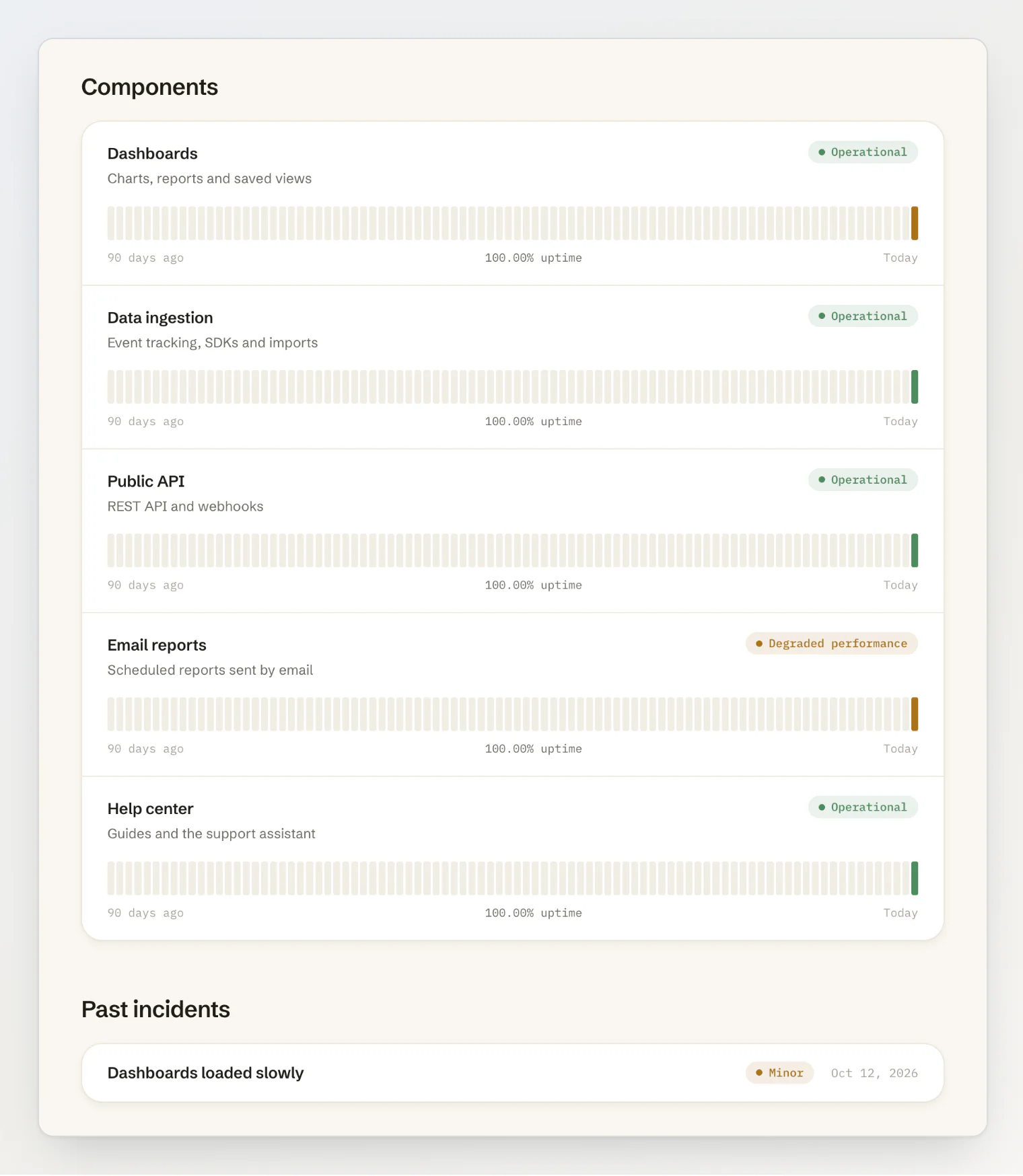
| Active incidents, maintenance in progress and upcoming, the components with their 90-day uptime bars, and the incidents of the last 90 days |
| One incident or maintenance with every update, newest first |
| The state as a dot and a short label, for a header or a footer; a link when you give it |
StatusHeadline is separate from StatusOverview so you can put a line of your own between them. The uptime bars show 90 days, or 30 in a container narrower than 30rem, and each bar shows its date and status on hover.
The components take their look from @kookee/react/content.css. Import it once, in Next.js in app/layout.tsx: import '@kookee/react/content.css';. The 30-day view and the hover labels come from it too. Style and customize the React components covers theming.
Render it on the server
In a Next.js Server Component, read the status with the SDK and pass it in:
// app/status/page.tsx
import { Kookee } from '@kookee/sdk';
import { StatusHeadline, StatusOverview } from '@kookee/react/status';

const kookee = new Kookee({ apiKey: process.env.KOOKEE_API_KEY });

export default async function StatusPage() {
  const status = await kookee.status.get();
  return (
    <>
      <StatusHeadline status={status} />
      <StatusOverview status={status} incidentHref="/status/incidents/{id}" />
    </>
  );
}// app/status/incidents/[id]/page.tsx
import { notFound } from 'next/navigation';
import { Kookee, KookeeApiError } from '@kookee/sdk';
import { StatusIncidentArticle } from '@kookee/react/status';
const kookee = new Kookee({ apiKey: process.env.KOOKEE_API_KEY });
export default async function IncidentPage({ params }: { params: Promise<{ id: string }> }) {
const { id } = await params;
const incident = await kookee.status.getIncident(id).catch((error: unknown) => {
if (error instanceof KookeeApiError && (error.status === 404 || error.status === 400)) notFound();
throw error;
});
return <StatusIncidentArticle incident={incident} />;
}incidentHref is a template with {id}, or a function of the incident. Pass renderLink to use your router's link. getIncident() rejects with a KookeeApiError: status 404 for a draft or an unknown incident, 400 for an id that is not a UUID. Show your 404 page for both.
Times show in UTC with the zone written next to them, such as Oct 12, 2026, 8:01 AM UTC, because a server does not know the visitor's zone. Pass timeZone to choose another one.
Render it in the browser
With KookeeProvider around your app, the hooks read the same data:
import { useStatus } from '@kookee/react';
import { StatusHeadline, StatusOverview } from '@kookee/react/status';

const timeZone = Intl.DateTimeFormat().resolvedOptions().timeZone;

function StatusPage() {
  const { data: status } = useStatus({ refreshSeconds: 60 });
  if (!status) return null;
  return (
    <>
      <StatusHeadline status={status} />
      <StatusOverview status={status} incidentHref="/status/incidents/{id}" timeZone={timeZone} />
    </>
  );
}
useStatusIncident(id) reads one incident for StatusIncidentArticle, and waits while id is undefined. In the browser the times can use the visitor's own zone, as above.
Keep it current
People open a status page during an incident and keep it open, so it has to change without a reload.
In the browser,
refreshSecondsreads the status again that often while the tab is visible, and once more when a hidden tab comes back after that long. The shortest interval is 30 seconds. After a 429 the wait doubles, up to 10 minutes, and a 401 or 403 stops it. A read that fails keeps the status already on the page.On a server, cache the status for about a minute, and clear that cache when one of the
incident.created,incident.updated,monitor.downormonitor.upwebhooks arrives; see Send events to your site with webhooks.
Some changes send no webhook and show on the next read: a status set by hand, an edited or deleted incident, an edited maintenance, and a maintenance window starting or ending.
Read it from the API
Without React, read the same data over HTTP with your API key in the Kookee-API-Key header:
curl -H "Kookee-API-Key: $KOOKEE_API_KEY" https://api.kookee.dev/v1/statusGET /v1/statusreturns the page:indicator(operational,minor,majorormaintenance);components, each withuptime(from 0 to 1, ornullwhen hidden or too new) anddays, which lists only the days that were not operational all day; thenactiveIncidents,maintenanceInProgress,upcomingMaintenance,resolvedIncidentsandgeneratedAt.GET /v1/status/incidents/{id}returns one published incident with its updates.
Both are cached for 30 seconds. They are not counted against your monthly API requests: status reads have their own per-minute allowance, ten times your plan's rate limit. A request with the Kookee-Project-Id header instead of a key works only while your portal is on.
The Status page module in your portal settings only decides whether Kookee's hosted page is public. With an API key, your own site can read the status while the hosted page is off.
Turn it on in a starter
The four starters have a status page that is off until you turn it on. It adds /status, a page per incident, and a Status link in the header.
Set
KOOKEE_STATUS=truein the starter's environment (in TanStack Start, inwrangler.jsonc).Rebuild or redeploy the site.
In the Next.js starter, open Webhooks under Connect and add the four status events (
incident.created,incident.updated,monitor.downandmonitor.up) to the endpoint athttps://<your-site>/api/kookee-webhook, the one that also refreshes your posts. Without it, the page refreshes on its own schedule.
Starter | How it reads the status |
|---|---|
On the server, refreshed every minute and at once by its webhook; after a quiet spell, the first visit can get a copy up to five minutes old while it refreshes | |
In the browser, every minute, in the visitor's zone | |
In the browser, every minute, in the visitor's zone | |
In the browser, every minute, in the visitor's zone; incident pages at |
In a starter, /status belongs to the status page: a Kookee page with the slug status gets no address there, even while KOOKEE_STATUS is off. Give it another slug.
Continue reading
Set up a status page: components, incidents and maintenance in the dashboard.
Using the React components with Next.js, TanStack Start or Vite: server and client components, links and caching.
Monitor your site with uptime checks: let a monitor set a component's status for you.