Integrations send what happens in your project to the tools your team already works in. A new feedback post can appear in a Slack channel, open an issue in GitHub, or become a Jira ticket, without you writing any code. Integrations come with Pro and Ultra.
Integration | What it does | When |
|---|---|---|
Slack, Discord, Telegram | Posts a message to a channel or chat | The events you pick: new feedback, a new visitor comment, content published, status page incidents, a monitor down or up again |
GitHub Issues | Opens an issue | Every new feedback post |
Jira | Creates a Task | Every new feedback post |
Asana | Creates a task | Every new feedback post |
Freshdesk | Opens a ticket | Every new feedback post |
GitHub Actions | Starts a workflow with a | The content events you pick, to rebuild a site |
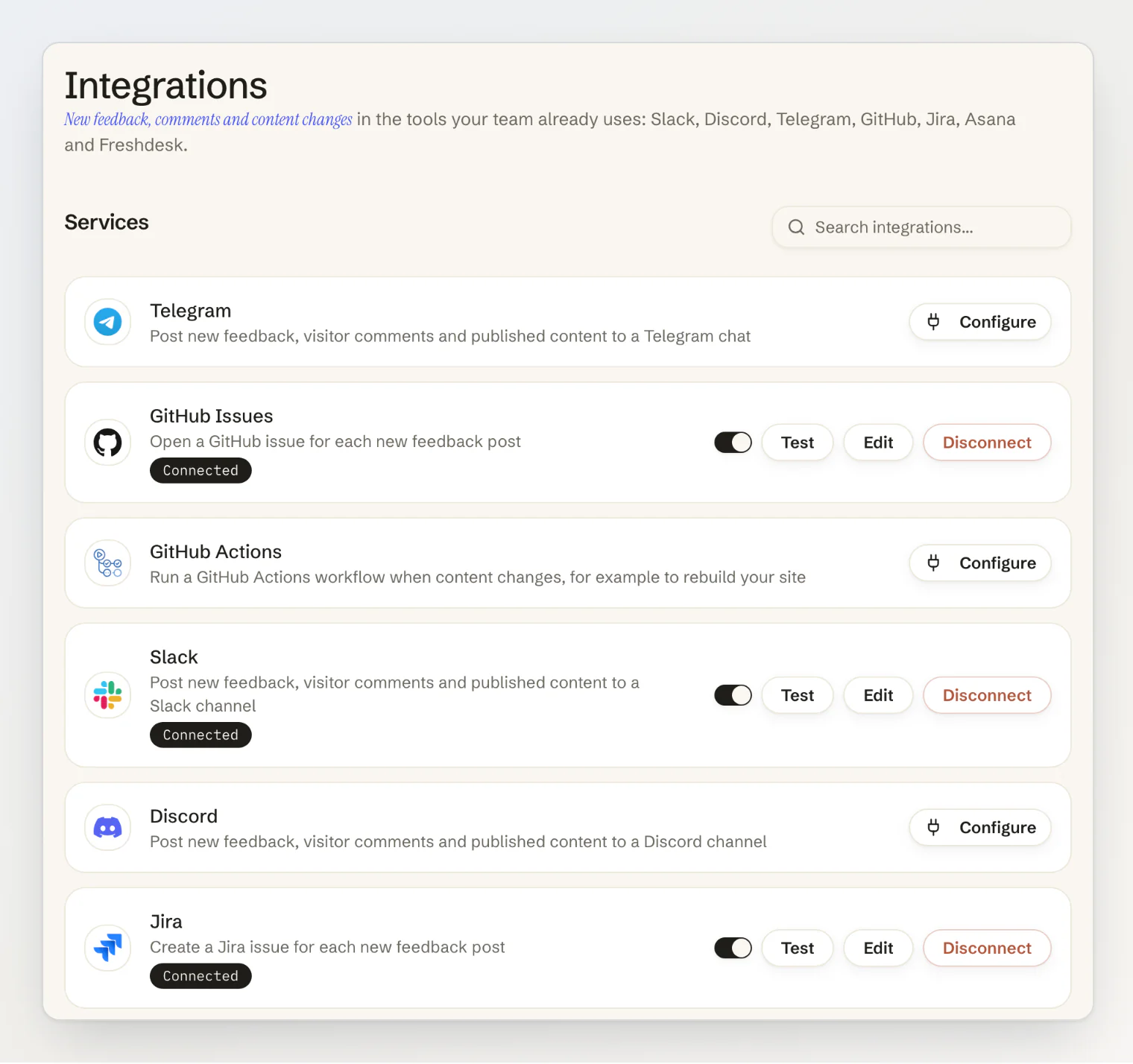
Connect an integration
Open Integrations under Connect in your project.
Click Configure on the service and fill in what it asks for (below).
For Slack, Discord, Telegram and GitHub Actions, pick the events it should receive.
Click Connect, then Test to check it works.
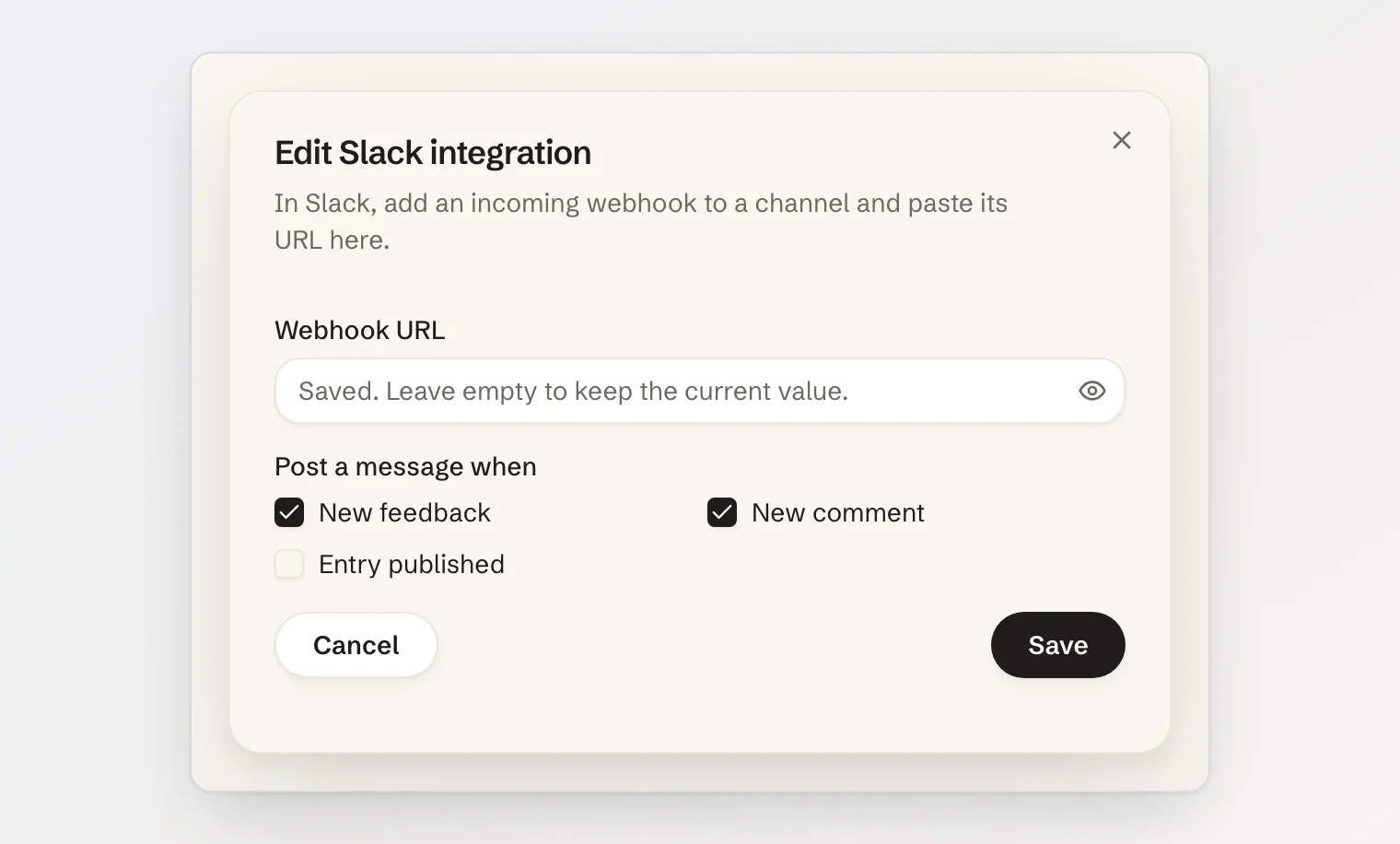
A project can connect each service once. Owners and admins connect, edit, pause and disconnect integrations; members see the list, and guest accounts cannot use the page. Tokens, keys and webhook URLs are stored encrypted and never shown again: when you edit an integration, a saved secret reads Saved. Leave empty to keep the current value.
What each service needs
Slack: an incoming webhook URL. Create a Slack app, turn on Incoming Webhooks, add a webhook to the channel, and paste its URL, which starts with
https://hooks.slack.com/services/.Discord: a channel webhook URL. In the channel's settings, open Integrations, create a webhook and copy its URL.
Telegram: a bot token from @BotFather and the chat ID. Add the bot to the group or channel first (in a channel, as an admin), then find the ID with @RawDataBot or the Bot API's
getUpdates. Group and channel IDs are negative numbers, usually starting with-100.GitHub Issues: the repository owner and name, and a personal access token: a fine-grained token with Issues: read and write on the repository, or a classic token with the
reposcope. Labels are optional and must already exist.GitHub Actions: the repository owner and name, a personal access token (a fine-grained token with Contents: read and write, or a classic token with the
reposcope), and the event type your workflow listens for,kookee-contentunless you change it.Jira: your site name (the
acmeofacme.atlassian.net), the email of your Atlassian account, an API token from id.atlassian.com → Security → API tokens, and the project key, the prefix of its issue IDs. Issues are created as Task, so the project needs that issue type.Asana: a personal access token and the project ID, the number in the project's address.
Freshdesk: your Freshdesk subdomain, your API key from your profile settings, and a requester email. Tickets are opened in the name of that address, such as your support inbox: Kookee does not send your customers' email addresses.
Kookee checks what it can when you save. A Slack or Discord URL has to be one of theirs, and a Jira or Freshdesk site name is reduced to its subdomain, so a pasted https://acme.atlassian.net/ becomes acme. A wrong token or project key shows up when you click Test.
What gets sent
Slack, Discord and Telegram post a short message: the post's title, who wrote it, the start of its text and an Open in Kookee link to it in your dashboard. Messages are written in the project owner's language. A few things are deliberate:
Your team's own replies are not posted. A comment by a member of the project stays out of chat; comments from visitors are posted.
Posts held for review are posted, marked Awaiting review, so you can moderate them from the channel.
Nothing a visitor writes can ping your team.
@channel,@everyone, mentions and links in their text arrive as plain text, and link previews are turned off.
From your status page and your uptime monitors, Slack, Discord and Telegram can also post incidents and outages: tick Incident published or maintenance scheduled, Incident updated, Monitor down or Monitor up again among the integration's events. An incident's message has its title, its status, the affected components and the start of the update. A monitor's has its URL and what failed, or how long it was down once it is back up. Drafts are never posted, and the other integrations do not take these events.
GitHub Issues, Jira, Asana and Freshdesk get one item per new feedback post, titled [Kookee] and the post's title, with its author, category, text and a link back. Posts held for review are not sent to them: an issue tracker, maybe a public repository, is no place for text you have not approved yet. In a GitHub issue, the visitor's text sits in a code block, so it cannot mention people or reference other issues.
GitHub Actions sends a repository_dispatch event with the change in client_payload:
name: Rebuild the site
on:
  repository_dispatch:
    types: [kookee-content]

jobs:
  build:
    runs-on: ubuntu-latest
    steps:
      - uses: actions/checkout@v4
      - run: echo "${{ github.event.client_payload.event }}: ${{ github.event.client_payload.entry.slug }}"
      # build and deploy your site here
client_payload holds event (such as entry.published), project (id, slug) and entry (id, type, locale, slug, title, translationGroupId). Test dispatches the type kookee-test, which proves the token and repository without starting a workflow that listens for kookee-content.
Test, pause and turn back on
Test sends a test message, or for GitHub Issues, Jira, Asana and Freshdesk a real item titled Kookee test: this integration is connected, and shows what the service answered. A failed test never turns an integration off.
The switch on a card pauses an integration and turns it back on. Kookee turns one off by itself in two cases, and tells the project owner with a notification and an email:
The service refuses it, for a revoked token, a deleted channel or webhook, or a removed repository. This happens on the first refusal.
Five events in a row fail every retry. A failed delivery is retried up to 10 times over about 8 and a half hours.
The card then shows Needs attention and why. Fix the settings with Edit, and turn it back on with the switch.
Plans and limits
Integrations need the project owner to be on Pro or Ultra. On Free, the page lists the services with an upgrade notice. If an owner moves back to Free, their integrations stay configured but paused, and send nothing until the plan allows them again.
Integrations count toward the same hourly limits as webhooks: 300 events an hour per integration, and 1,000 an hour across the account's webhooks and integrations, counting content and visitor events apart. Status events are counted apart from both. Connecting on Free is refused with INTEGRATION_NOT_AVAILABLE_ON_PLAN.
Continue reading
Send events to your site with webhooks: signed events for your own code, on every plan.
Feedback notifications for your team: who in your project hears about new posts, assignments and comments.
Collect feedback from your site widget: let visitors send feedback without signing up.